











Upload new Flickr photos to Google Photos
Other popular Google Photos workflows and automations
-
-
-
Upload Wyze motion clips to Google Photos
-
-
Upload Google Drive photos to Google Photos
 7
7
-
-
Save Instagram videos to Google Photos
2
-
-
Upload new iOS Photos to Google Photos
55
-
-
Upload to Google Photos when Webhooks receives event
1
-
-
Upload new Android Photos to Google Photos
27
-
-
Save Twitter images to Google Photos
-
-
Save Instagram photos to Google Photos
4
-








Automate Google Photos and Slack from your AI assistant
Ask Copilot to create Google Photos applets that upload your photos and videos, right from your AI assistant, with IFTTT MCP.
Set up IFTTT MCP


Create your own Google Photos and Slack workflow
Create custom workflows effortlessly by selecting triggers, queries, and actions. With IFTTT, it's simple: “If this” trigger happens, “then that” action follows. Streamline tasks and save time with automated workflows that work for you.
2 triggers, queries, and actions
Post to channel
Action
An action is the task your Applet carries out after the trigger occurs. It defines what happens as the result of your automation and completes the workflow.
This Action will post a message to the channel you choose in Slack.
Upload a photo or video to Google Photos
Action
An action is the task your Applet carries out after the trigger occurs. It defines what happens as the result of your automation and completes the workflow.
This action will upload a photo or video from a URL you provide to your Google Photos library.
Post to channel
Action
An action is the task your Applet carries out after the trigger occurs. It defines what happens as the result of your automation and completes the workflow.
This Action will post a message to the channel you choose in Slack.
Upload a photo or video to Google Photos
Action
An action is the task your Applet carries out after the trigger occurs. It defines what happens as the result of your automation and completes the workflow.
This action will upload a photo or video from a URL you provide to your Google Photos library.
GET STARTED
How to connect to a Google Photos automation
Find an Applet using Google Photos and Slack
Find an automation to connect to, or create your own!Connect IFTTT to your accounts
Securely connect the Applet services to your respective accounts.Finalize and customize your Applet
Review trigger and action settings, and click connect. Simple as that!Upgrade your automations with
-

Connect to more Applets
Connect up to 20 automations with Pro, and unlimited automations with Pro+ -
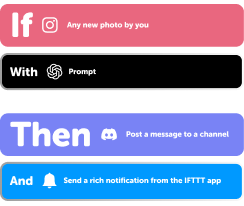
Add multiple actions with exclusive services
Add real-time data and multiple actions for smarter automations -
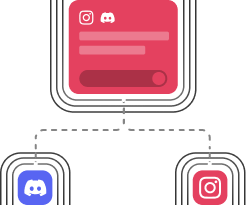
Get access to faster speeds
Get faster updates and more actions with higher rate limits and quicker checks
Google Photos and Slack tips, tools, and resources
-
Popular
Celebrating 15 years of IFTTT

-
Productivity
Which generation are you according to your Applets?

-
Productivity
Everything you can automate with Google on IFTTT

-
Popular
Six ways to automate these annoying tasks
-
Holiday
The lazy person's guide to productivity

-
Productivity
10 back-to-school automations to try

-
Lifestyle
Top widget Applets
-
Productivity
10 ways to automate life for the people who track everything

-
Business
Automations for teachers

More on Google Photos and Slack
About Google Photos
Google Photos is a cloud-based home for your photos and videos that automatically backs up your library and keeps it available across all your devices. It organizes your collection with AI-powered search by people, places, and things, and offers editing tools like Magic Eraser and Photo Unblur. Everything you add stays yours, and your photos are not used for advertising. Visit Google Photos.
About Slack
Slack brings all your team communication into one place. Turn on Applets to bring important information into channels, quickly share photos, automate reminders, and much more.