34 ready-made Google Assistant and Spotify Applets
Turn one on, or build your own. Google Assistant can start an automation with "Activate scene", and IFTTT can then run "Add track to a playlist" on Spotify.-
Pause Spotify with Google Assistant voice commandby
-
Ask Google Assistant to resume Spotify playbackby
-
Play Spotify when you say 'Okay Google, activate cheer me up'by
-
Add Spotify track when you activate a Google Assistant sceneby
-
Play a Spotify track when you activate a Google Assistant sceneby
-
Diga 'Ok Google' para retomar a música no Spotifyby
-
Save a Spotify track with Google Assistant scene commandby
-
Skip Spotify track with Google Assistant voice commandby
-
Activate Govee Dreamview and start Spotify playback with Google Assistantby
Voice-activated music control
Small business owners and creators can utilize this integration to pause music during important calls or meetings by simply saying, 'Okay Google, activate pause Spotify!'. This ensures a professional atmosphere and uninterrupted workflow.
Get startedAutomate Google Assistant and Spotify from your AI assistant
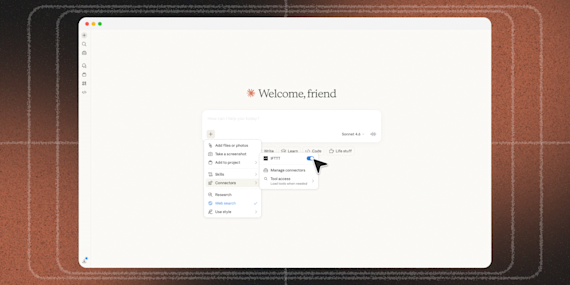
Ask ChatGPT to create Google Assistant voice command applets with IFTTT MCP.
Set up IFTTT MCPCreate your own Google Assistant and Spotify workflow
Create custom workflows effortlessly by selecting triggers, queries, and actions. With IFTTT, it's simple: “If this” trigger happens, “then that” action follows. Streamline tasks and save time with automated workflows that work for you.
41 triggers, queries, and actions
Activate scene
New episode from a followed show
New episode from search
New followed show
New recently played track
New saved album
New saved episode
New saved track
New show from search
New track added to a playlist
Currently playing track
Get album details
Get artist details
Get artists for album
Get artists for track
Get audio features from a track
Get featured playlists
Get show details
Get show episodes
Get track details
Get track recommendations
Get tracks for album
Add track to a playlist
Add track to a playlist by TrackID
Add track to playback queue
Follow a playlist
Pause playback
Save a track
Skip track
Start playback
Activate scene
Add track to a playlist
Add track to a playlist by TrackID
Add track to playback queue
Currently playing track
Follow a playlist
Get album details
Get artist details
Get artists for album
Get artists for track
Get audio features from a track
Get featured playlists
Build an automation in seconds!
You can add delays, queries, and more actions in the chat.

How to connect to a Google Assistant automation
Find an Applet using Google Assistant and Spotify
Find an automation to connect to, or create your own!Connect IFTTT to your accounts
Securely connect the Applet services to your respective accounts.Finalize and customize your Applet
Review trigger and action settings, and click connect. Simple as that!Make more happen with your credits
-
More credits, more possibilities
Get more credits per month to power more automation activity. -
Power more advanced automations
Use credits to power your automations, including actions that require more processing. -
Access faster speeds and higher rate limits
Get faster updates and more actions with increased rate limits and more frequent checks.