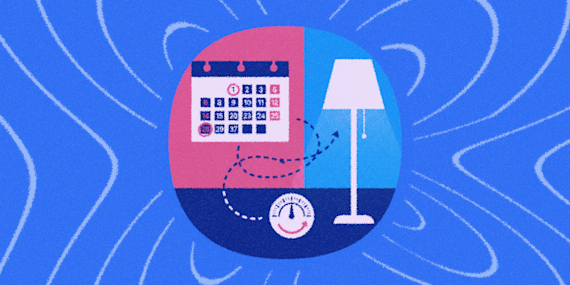
You set your bedtime lights for 9PM back in January. It's June now, and the sun's still out at 9PM, so your 'wind-down' lighting kicks in while it's still bright outside. By December, the sun will be down two hours before your alarm even matters.
IFTTT can skip the clock entirely and react to the actual sunset and sunrise instead, so your evening routine adjusts itself as the seasons shift, no updating a schedule every few months. If you don't already have an account, you can sign up for IFTTT free in about a minute.

Why this reacts to the sun instead of the clock
Every Applet below keys off an actual sunrise or sunset time for your location, recalculated daily, rather than a fixed hour you'd otherwise have to update every few months as daylight shifts. Set it once, and it keeps adjusting itself all year, no revisiting the schedule when the clocks change or summer stretches the evenings out.
The gap between a fixed schedule and actual daylight is bigger than it looks. In much of the US, sunset shifts by four or more hours between December and June, so a 9PM lighting cue that feels right in the dead of winter is switching on in broad daylight by midsummer, and a fixed sunrise-based wake routine drifts the same way in reverse. Tying the routine to the sun instead of the clock means it's always roughly the same amount of daylight outside when it triggers, not the same number on a clock that stopped matching reality months ago.
Step 1: Set a warm scene at sunset
The moment the sun sets, this Applet switches your bedroom's Philips Hue lights to a warm, pre-set scene, so the room starts shifting into evening mode exactly when it gets dark outside, not at a fixed hour that's wrong half the year.


Step 2: Close your blinds at sunset
At the same sunset trigger, this Applet closes your Lutron Caséta shades, blocking evening light right as it starts fading outside.

Step 3: Fade your lights on at sunrise
As the sun comes up, this Applet turns your LIFX bedroom lights on, so morning light indoors tracks with morning light outside instead of a fixed wake time that drifts out of sync with the actual season.



Step 4: Open your blinds at sunrise
The same sunrise moment triggers your SOMA shades to open, letting natural daylight into the room right as it actually becomes morning outside.

Extra automations to layer in
The four steps above cover the core sunset-to-sunrise cycle. These are optional, brand alternatives if you don't use Hue or Lutron, and a manual override for evenings that don't go as planned.
Sync a different light brand to sunset
If you use Nanoleaf instead of Hue, the same sunset trigger works just as well, this Applet shifts your Nanoleaf panels to a warm, dim palette the moment the sun goes down.

Turn off Hue lights with a text
Send a tagged text to IFTTT and this Applet turns off every connected Hue light, a manual fallback for whenever you want lights-off on demand instead of waiting for sunset.

Close your blinds with one button press
Some evenings don't follow the sun. Press a Button and your Lutron Caséta shades close on the spot, no waiting on the sunset trigger.

Try these other shade services too
Somfy and SwitchBot cover different price points and installation styles than what's used above, worth a look if Lutron or SOMA don't fit your windows or your budget.
Somfy myLink controls professionally installed motorized shades and awnings, and its IFTTT integration supports moving individual shades or firing a whole scene at once.
SwitchBot Blind Tilt is a retrofit motor that clips onto blinds you already own, a cheaper way in if you're not ready to replace your whole window treatment.


Let the sun run your evening and morning
None of these Applets need each other to work. The four core steps cover the actual sunset-to-sunrise cycle, the extras are there for brand alternatives or the nights that don't go as planned.
Start with Step 1 and Step 2 if evening wind-down is what you're after. Start with Step 3 and Step 4 if mornings are the bigger problem.
FAQs
Does this know when I personally feel like winding down?
No, it reacts to actual sunset and sunrise times for your location, calculated from where your account is set, not from how tired you feel. That's the whole point: it adjusts with the seasons the way a fixed clock time never does.
Why do some of these Applets use different sunrise/sunset services?
SunriseSunset.org and Weather Underground both offer real sunrise and sunset triggers, and different Applets here happen to be built on different ones. Functionally they do the same job, so it doesn't matter which one powers a given step.
What if I don't have Lutron or SOMA shades?
Swap the shade action for whatever your specific brand's IFTTT service supports, the sunset/sunrise trigger side stays the same regardless of which shades you own.
Can I run the evening steps without the morning ones, or vice versa?
Yes. Each step is independent. Plenty of people only care about one half of the cycle, build just that half.