Your phone's home screen is the first thing you see dozens of times a day. For most people, it's just a cluttered grid of apps that require multiple taps to get anything done.
What if your home screen could work harder for you? What if a single tap could save your parking spot, turn on your coffee maker, or capture a brilliant idea before it slips away?
That's the power of a well-designed home screen, and we're here to show you how to build one that matches your lifestyle.
That's where IFTTT (If This Then That) comes in. It connects all your favorite apps and devices, creating workflows that make everyday tasks effortless. Whether it's remembering where you parked, staying on top of your morning routine, or keeping your smart home running smoothly, IFTTT handles the details so you can focus on what matters.

In this blog, we'll walk through six home screen setups and show you how IFTTT widgets can transform the way you use your phone.
What are IFTTT widgets?
IFTTT widgets live right on your home screen, giving you instant access to automations without opening any apps. Instead of tapping through menus, you trigger actions with a single press.
There are three types of widgets:
- Button widget: One tap triggers any Applet you've set up.
- Camera widget: Snap a photo that automatically kicks off an action.
- Note widget: Quickly jot down text that powers your automations.
These widgets connect to thousands of services, from smart home devices to productivity tools, cloud storage to social media. You can customize how they look and what they do, building a home screen that actually works the way you do.
We also have the Notification widget, where you can receive news, updates, and other information directly on your home screen.



Here are six setups to inspire your own.
1. The jet setter/traveler
Traveling means tracking expenses, documenting memories, and staying connected with people back home. This home screen setup keeps everything organized without slowing you down.
When you're on the road, you want to capture moments without getting stuck in your phone. Camera widgets let you instantly backup photos to the cloud or share updates to social media. A quick tap saves where you parked or logs your current location to build a visual travel map.
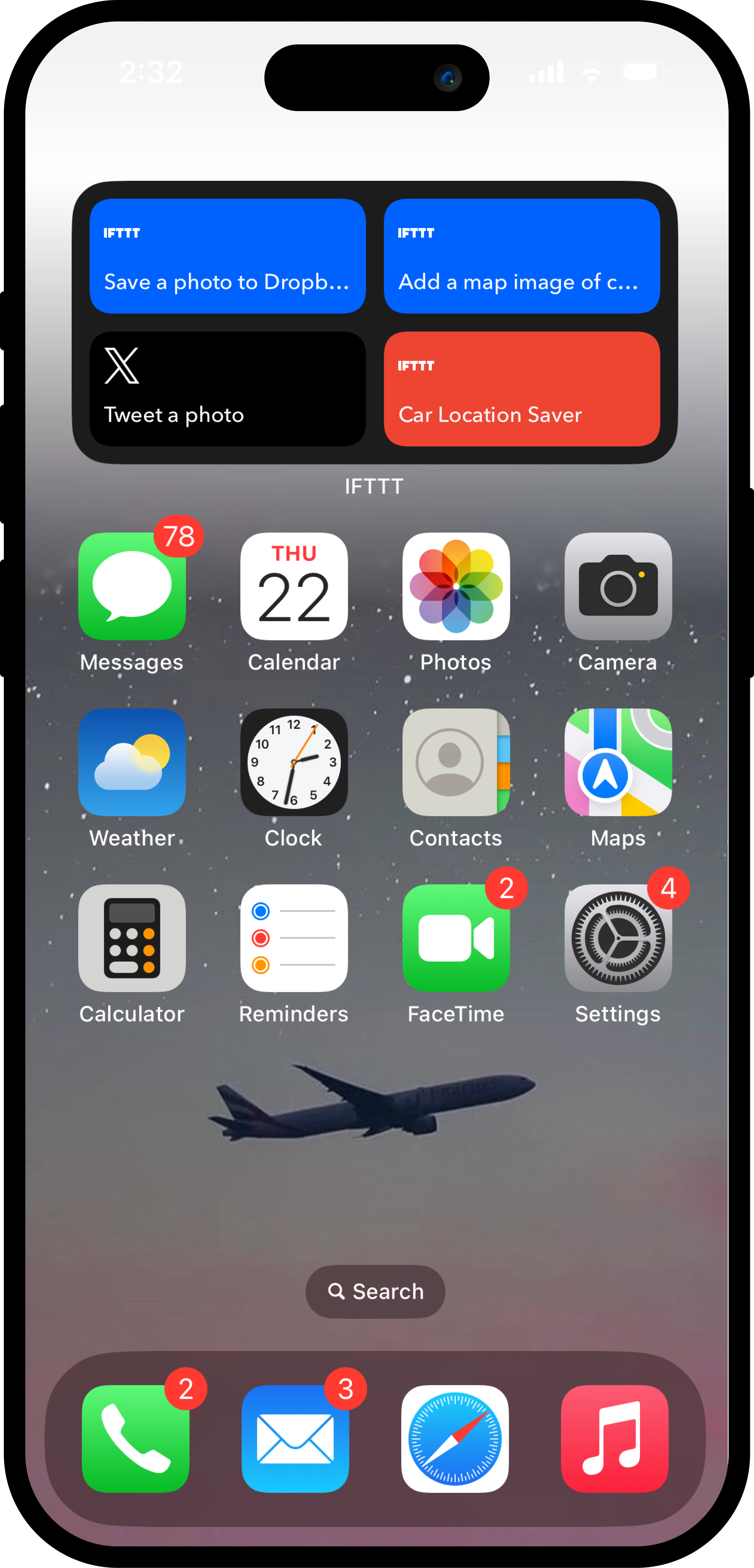
Applets to use:
-
Save a photo to Dropbox with a camera widget
 17.1k
17.1k
-
-
Save current location map to Dropbox from Note widget
658
-
-
Post new Camera photo to X (Twitter)
2.4k
-
-
Save car location with Button widget notification
16.1k
-





2. The smart home controller
Your home is getting smarter, but controlling everything shouldn't require opening five different apps. Between your lights, security system, garage door, and smart plugs, you're constantly switching between interfaces just to adjust basic settings. This setup turns your home screen into a single control panel where everything is one tap away.
Imagine lying in bed and realizing you forgot to close the garage. Instead of getting up or opening an app, you just tap a widget. The same goes for dimming lights, arming your security system, or turning off devices you left on. Your entire home becomes accessible from wherever you are.
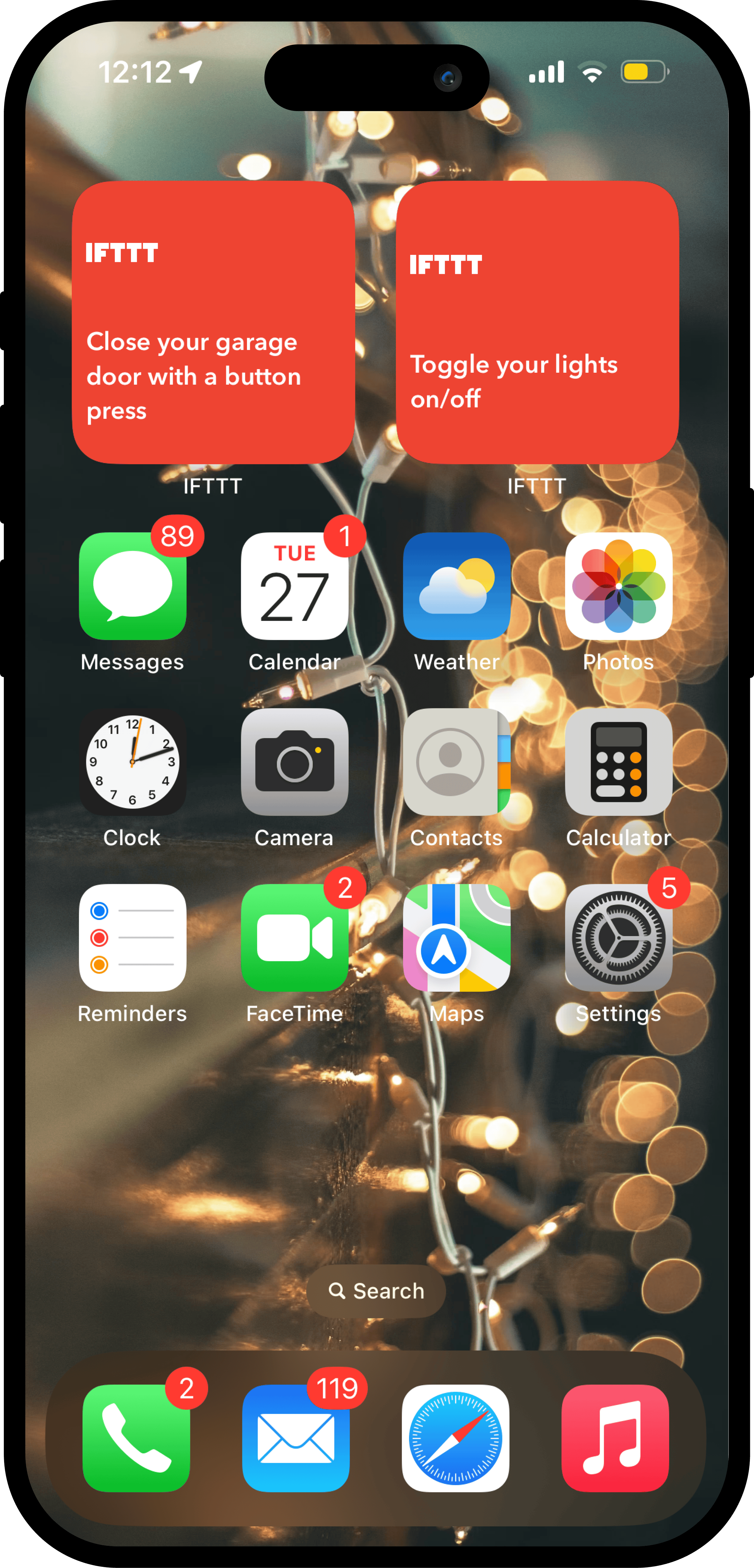
Try these Applets:
-
Close MyQ garage door with Button press
191
-
-
Toggle Philips Hue lights with a Button Widget
27.9k
-
-
Press Button widget to arm Blink system
6.42k
-
-
Start a Harmony activity with Button Widget
18.3k
-




3. The content creator
Creating content requires focus, inspiration, and quick capture of ideas before you forget them. But between drafting, editing, and posting across platforms, it's easy to lose momentum or let good ideas slip away.
This setup helps you stay focused on creating. When you have an idea, capture it immediately with a note widget that can draft posts or generate fresh angles with AI. Need uninterrupted time? Block out distractions with one tap. Got visual content ready? Send it straight to your scheduling queue.
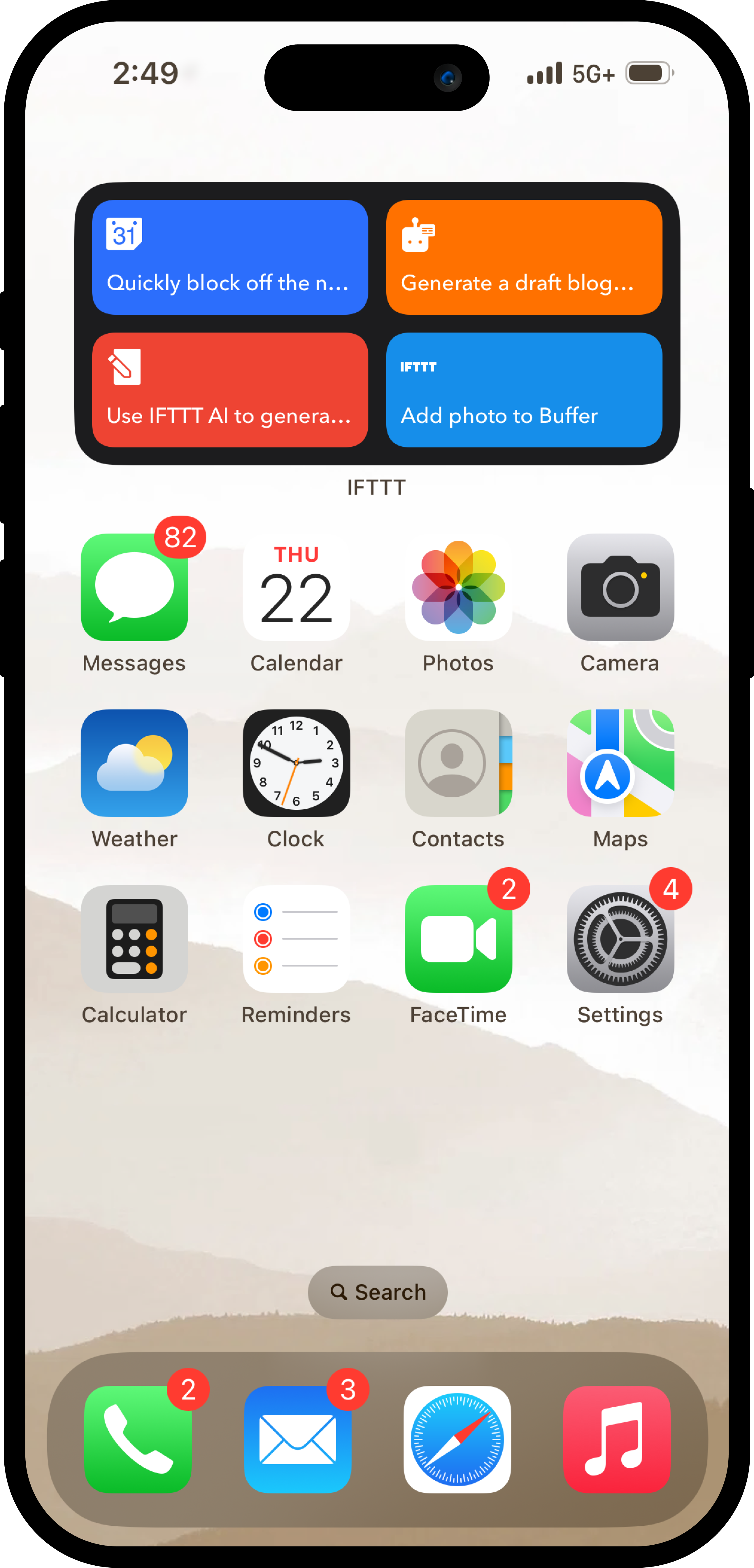
Don't let your ideas slip away:
-
Press a Button to Schedule Do Not Disturb on Google Calendar
9.85k
-
-
Create a Google Docs draft from a Note widget idea
1.1k
-
-
Get AI social media ideas from a new Note widget entry
355
-
-
Post new Camera photos to Buffer automatically
220
-





4. The learner
Whether you're a student, professional, or lifelong learner, staying organized and focused is essential. The challenge isn't just absorbing information, it's capturing questions as they arise, maintaining focus during study sessions, and keeping all your notes accessible.
This home screen helps you learn smarter. Jot down topics to explore later or get immediate answers without losing your place. Use focused study blocks to maximize retention, and digitize handwritten notes so everything stays searchable and organized. It's about building a system that supports how you actually learn, not just how you think you should.
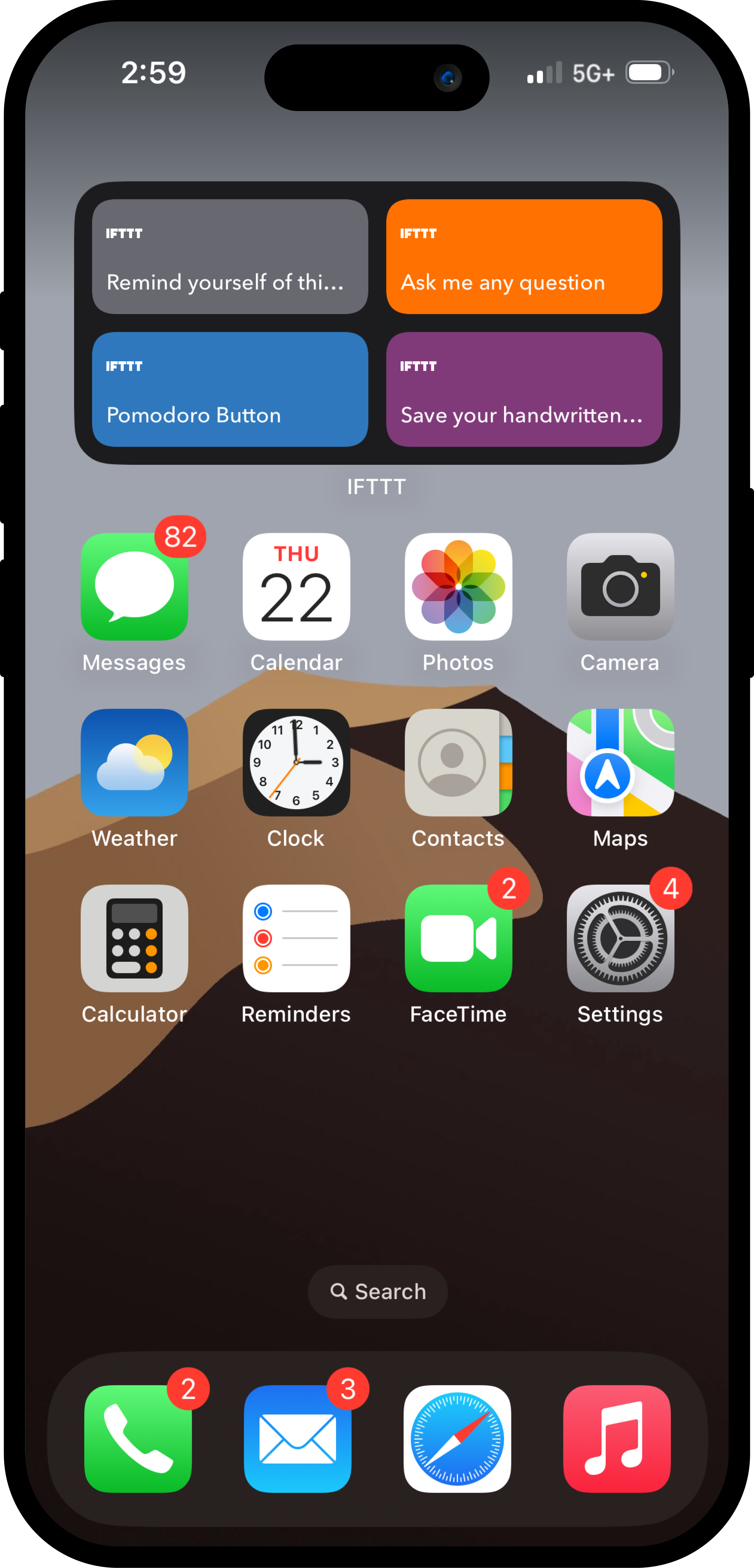
Expand your knowledge:
-
Save Note widget ideas to iOS Reading List and daily email
1.3k
-
-
Ask AI a question using Note Widget
746
-
-
Start a 25‑minute RescueTime Focus session with Button
429
-
-
Save your handwritten notes to OneNote
6.82k
-





5. The early bird
Mornings set the tone for your entire day. But between hitting snooze, deciding what to wear, and figuring out your priorities, it's easy to start the day feeling reactive instead of intentional.
This setup automates the small decisions so you can focus on what matters. Your coffee starts brewing before you're out of bed. A quick tap tells you what the weather's like so you can dress accordingly. You can capture your thoughts in a morning journal or outline your day's priorities while your mind is fresh and focused. Small routines, automated consistently, build the kind of mornings that set you up for success.
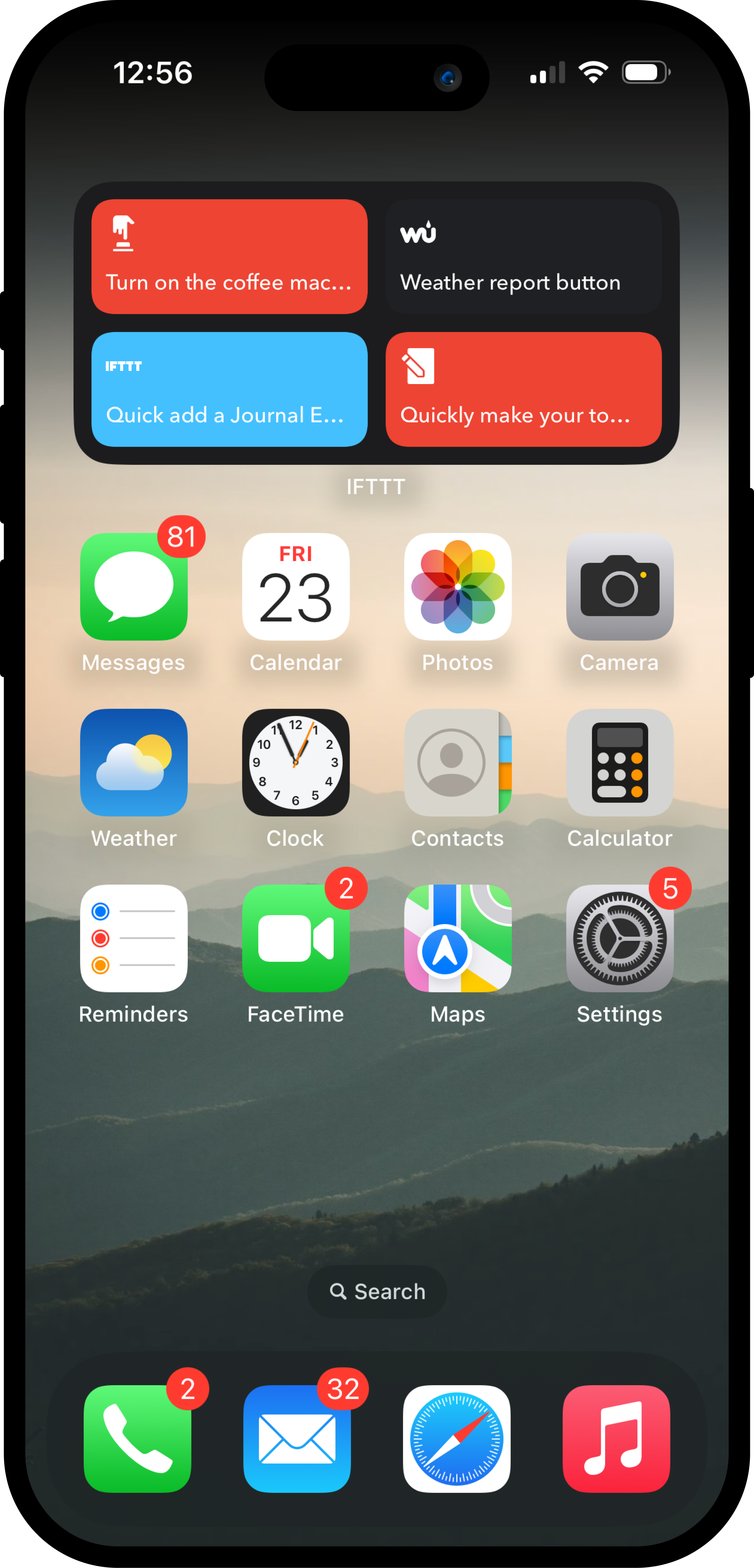
Stay productive in the mornings:
-
Press Button widget to start Home Connect coffee machine
495
-
-
Press Button widget to get current weather via Notification
4.13k
-
-
Add Day One journal entry and Google Calendar event from note
30
-
-
Add new Note widget items to Todoist tasks
147
-



6. The minimalist
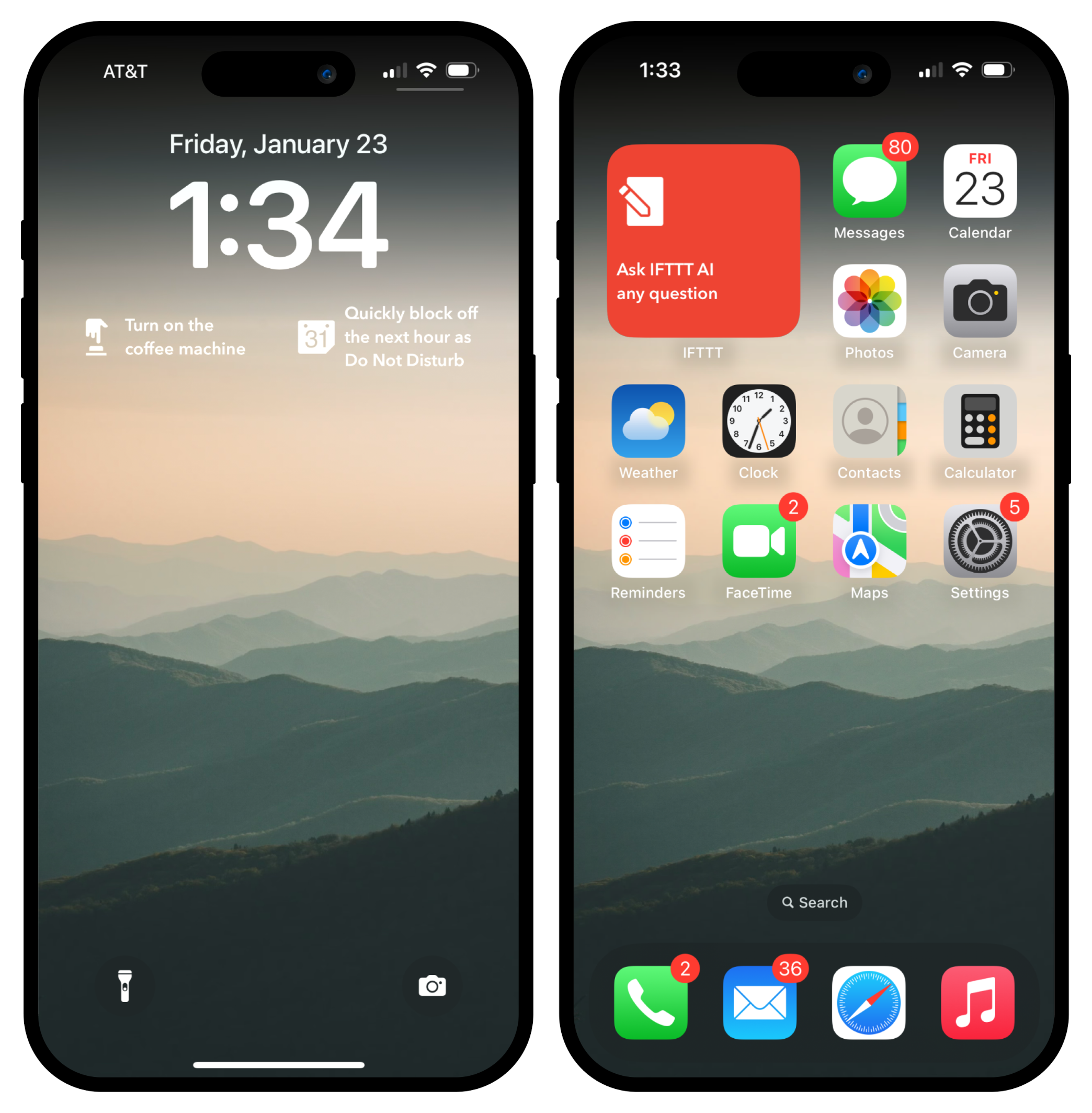
Not everyone needs a home screen full of widgets. Sometimes one button is enough, but just for the thing you do most. You can even put a widget on your lock screen so you don't have to unlock your phone at all.
This is for people who want things simple. One tap to log what matters. One tap for your go-to routine.
7. The audio curator
Your soundtrack matters. Whether you're commuting, working out, or just need the right vibe for the moment, music and podcasts shape how your day feels.
This setup keeps your audio life organized. Add songs that match your mood and the weather to a running playlist. Get notified with the notification widget when new podcast episodes drop on Spotify so you're always caught up on your favorite shows. Track episodes you want to save for later or share recommendations with friends. It's about building the perfect queue, whether that's music or your next listen, without overthinking it.
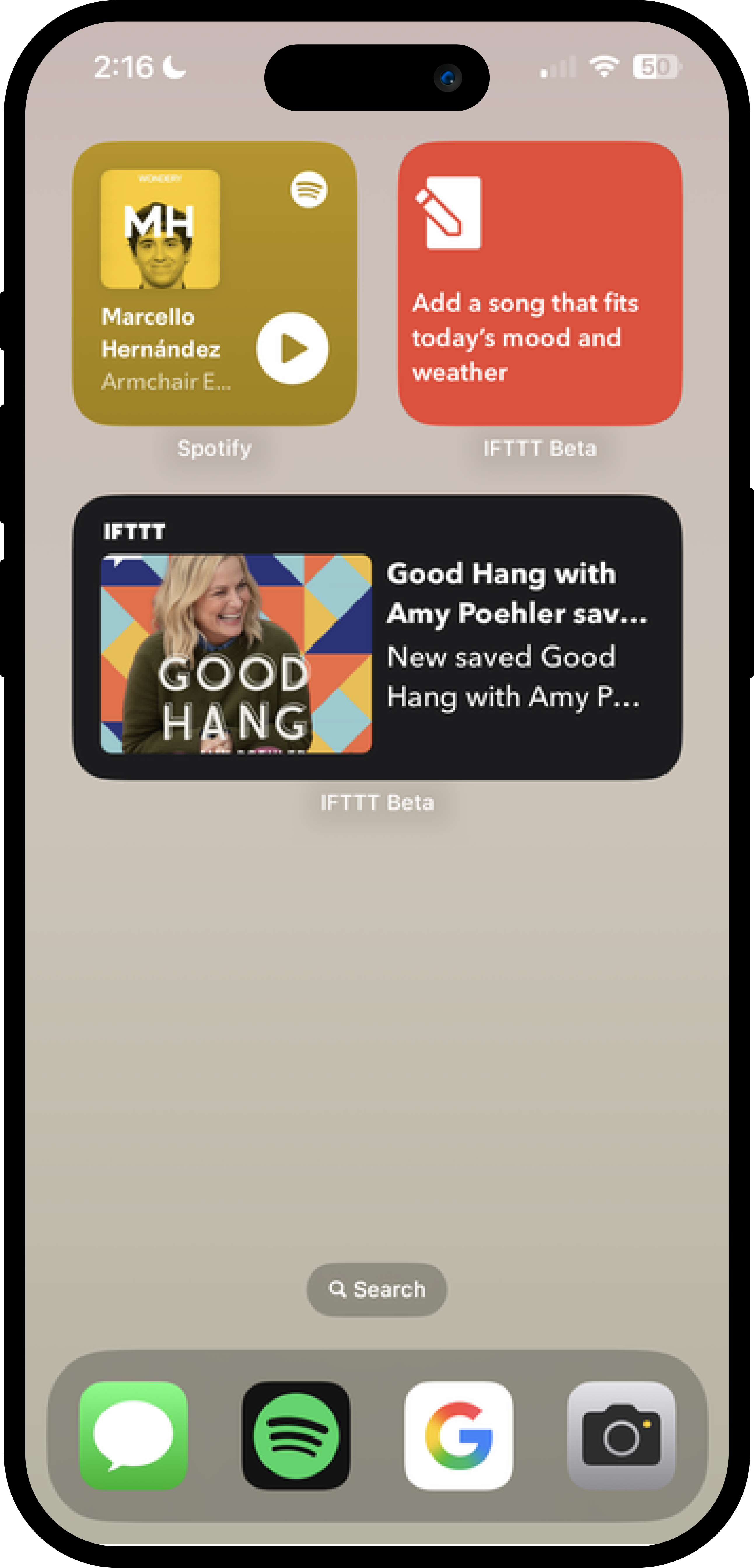
Get in tune with these Applets:
-
-

-

-

- 2+
Add a Spotify track and get notified when you write a Note
28
-
-
Add new Spotify podcast episodes to a playlist
97
-
-
Start music playback with a button tap
258k
-
-
Play Sonos favorite with Button Widget
5.72k
-


Design your own home screen
These seven setups are just the beginning. The beauty of IFTTT widgets is that they're completely customizable to your unique lifestyle, goals, and aesthetic preferences.
Start by asking yourself: What repetitive tasks slow me down every day? What moments do I want to capture more easily? What routines would I maintain if they were just one tap away?
Then build your home screen around those answers. Mix and match widgets, experiment with different layouts, and create a digital environment that truly works for you.
Start a free trial of IFTTT Pro and start automating!