Your brain was never meant to remember everything. That's not a flaw, it's by design. The problem is that nobody told your job that. Or your inbox. Or the seventeen tabs you have open right now that you're definitely going to read later.
You're constantly taking in more information than you can process: ideas from podcasts, links you send yourself at midnight, notes from meetings that live in three different apps, article titles you can't remember but know were important.
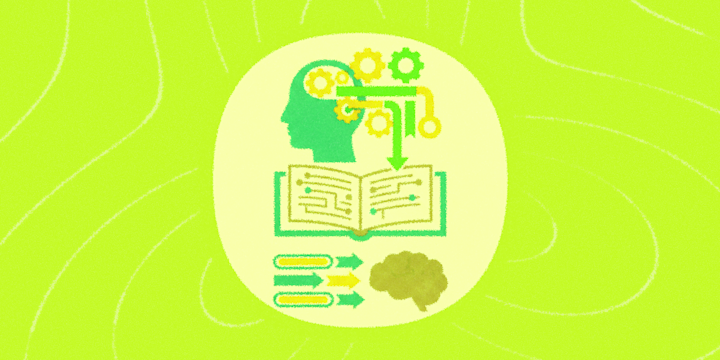
A second brain is the fix. It's an external system (outside your head) that captures, organizes, and resurfaces the right information exactly when you need it. Stop trying to hold everything in your head, and start building a system that holds it for you.
The catch is that most people set up a second brain and then forget to feed it. They download Notion, create a few folders, and then go back to dumping random links in a group chat with themselves.
That's where IFTTT comes in. It connects to over 1000 apps and devices, so your second brain can fill itself while you're busy actually thinking.
You can start a free trial with IFTTT and automate in minutes.

Here are seven automations that turn a passive notes folder into a living system.
1. Capture the best ideas that hit you in the shower (before you forget them)
The best ideas arrive at the worst times. In the car. Mid-run. Two minutes before you fall asleep.
You tell yourself you’ll remember. You don’t.
The Note widget on your home screen opens a blank note in one tap, so you can write it down right away. Jot the thought and it flows straight into your inbox or expands into a full Google Docs outline ready to build on.
If you're more of a voice person, a quick Siri command turns any iOS Reminder into a Trello card or a Notion task before the idea has a chance to disappear.
Either way, the idea lands somewhere permanent instead of evaporating into whatever you were thinking about next.
-
Email yourself a note from the Note widget
 40.2k
40.2k
-
-
Create a Google Docs outline from Note widget ideas
466
-
-
Add new iOS Reminders as Trello cards
3.18k
-
-
Add new iOS Reminders to Notion To-Do list
612
-







2. Save what you read before you forget why you saved it
You save articles with the best intentions. Then your reading list becomes a graveyard of forgotten links, and the thing you meant to read last Tuesday is buried somewhere you'll never find it.
The fix is routing good content directly to where you actually read it, before it gets lost. Pipe your favorite RSS feeds straight into Instapaper, sync the New York Times' most-read stories to your iOS Reading List, or send bookmarked Medium posts to your Kindle so they're waiting for you offline. If you'd rather do it all in one sitting, a weekly Longreads digest lands in your inbox every Saturday morning, ready for the weekend.
Good reading habits are easier to keep when the content comes to you.
-
Save new RSS feed items to Instapaper
20.7k
-
-
Add popular articles from the New York Times to your iOS Reading List
6.01k
-
-
Send bookmarked Medium posts to Kindle via Gmail
1.34k
-
-
Get a weekly Longreads email digest every Saturday
1.01k
-







3. Log what you watch, hear, and track automatically
Reading isn't the only way you take in information. You watch a YouTube video that changes how you think about something. You hear a podcast episode with three ideas you want to revisit. You hit a personal record and want it somewhere permanent.
None of that gets captured unless you do it manually. And you won't.
Every video you like on YouTube can flow straight into a Google Sheet, with the title, link, and description all logged automatically. Your Spotify saves do the same, building a running record of your listening habits over time. Finish a run on Strava and it lands on your Google Calendar automatically, so your training history lives alongside your schedule. And for tracking work hours, a single tap of the Button widget timestamps your start and stop.
Over time, the logs become a mirror. Patterns emerge in what you consume, what you do, and what actually matters to you.
-
Save new YouTube likes to Google Sheets
1.49k
-
-
Log new Spotify saved tracks to Google Sheets
21.7k
-
-
Add new Strava activities to Google Calendar
5.69k
-
-
Log work hours in Google Sheets with a Button Widget
124k
-






4. Let your meetings feed your second brain, not just your inbox
Most people leave meetings with a head full of context and a Google Doc full of half-sentences. The notes exist, technically. But extracting anything useful from them requires effort nobody has at the end of a long day.
Drop your raw meeting notes into a Google Docs folder and IFTTT takes it from there: AI pulls out a summary, key takeaways, and action items, then delivers them straight to your email.
And when a meeting comes with attachments: decks, briefs, contracts, a separate automation catches anything you forward and backs it up to Dropbox instantly. Everything from the meeting ends up filed and findable, without any extra steps.
-
Email AI meeting summaries from new Google Docs notes
317
-
-
Save email attachments to Dropbox automatically
4.54k
-


5. Let AI do the thinking your second brain was storing up for
Capturing information is only half the job. At some point, something has to process it: turn the raw input into something sharper, cleaner, more useful.
That's where AI earns its place in the system. Forward a draft email to Claude and get back a proofread version with grammar, clarity, and tone all reviewed before you hit send. Drop a new document into Google Drive and Claude surfaces the summary and action items in your inbox automatically.
On the email side, ChatGPT can draft Outlook replies the moment a new message lands, or generate a suggested response to any email you tag, so your inbox stops being a place where momentum goes to die.
The second brain stores everything. AI is what makes it actually think.
-
Send your email to Claude for proofreading via IFTTT
19
-
-
Email Claude summary when new Google Doc is added
2
-
-
Auto‑draft Outlook replies with ChatGPT
104
-
-
Automatically generate ChatGPT response to emails when you tag them #ChatGPT
346
-



6. DataStore: the missing piece of your automation system
A second brain that just stores things is useful. A second brain that remembers context and acts on it is something else entirely. That's exactly what IFTTT's newest feature, DataStore, is built for.
Most Applets work in straight lines: something happens, something else follows. That's fine for simple tasks. But the more automations you build, the more you start wanting them to talk to each other. To know what happened last time. To make a decision based on something another Applet already knows.
DataStore is what makes that possible. It gives your Applets a shared memory, a place to store information that persists between runs and is available across your whole setup. Once a value is saved, it shows up as an ingredient anywhere in your Applets, the same way any other piece of data would. Your second brain stops being a collection of separate automations and starts behaving like a single, connected system.
For example, say you're auto-posting new articles from an RSS feed to your Twitter account. Without any memory, your Applet fires every time a new item appears, which could mean five posts in an hour from a busy feed. With DataStore, the Applet remembers the last time it posted. If it hasn't been long enough, it holds back. Your audience gets a steady, considered stream instead of a flood, and you never have to think about managing it manually.
That's a small example of a bigger idea: the difference between automations that react and automations that think. The rest of this system captures, organizes, and surfaces your information. DataStore is the layer that makes it respond intelligently to what's already happened.
You can learn more about Data Store here.
7. Review your week in one place
A second brain only earns its keep if you actually revisit what's in it. The problem is that your week lives across too many places: articles you saved, tasks you crossed off, money you spent, meetings you scheduled. Checking all of it means opening four different apps, which most people don't do.
A weekly digest collapses everything into one email. New Longreads posts queued up for the weekend. Completed Todoist tasks so you can see what you actually got done. Monzo transactions summarized so your spending doesn't sneak up on you. Upcoming Google Calendar events so nothing catches you off guard. One email, one moment, the full picture.
That's the actual test of a second brain: not whether it holds information, but whether you ever look at it again.
-
Get a weekly Longreads email digest every Saturday
1.01k
-
-
Add completed Todoist tasks to a weekly email digest
6.98k
-
-
Add Monzo purchases to a weekly email digest
4.94k
-
-
Add new Google Calendar events to weekly email digest
1.44k
-


Build it once, use it forever
You don't need to set all of this up today. Pick the one that matches the biggest leak in your current system: the ideas you keep losing, the articles you forget you saved, the meeting notes that go nowhere, and start there.
A second brain doesn't make you smarter. It just stops you from wasting your actual brain on things a system could handle instead.
Try IFTTT free and start building yours today.