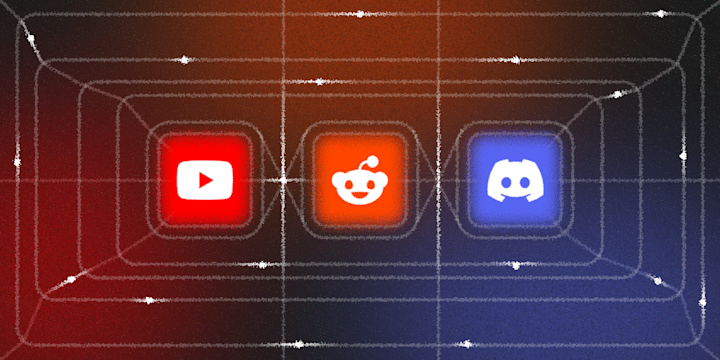
You just hit publish. A new video is live on YouTube, or you dropped a new thread on Reddit. Now what? You open Discord, write up an announcement by hand, paste the link, cross your fingers the embed renders right, and hope your community actually sees it before it scrolls past.
The whole point of publishing somewhere else is so your community finds out. It shouldn't take a second, manual trip to Discord just to tell them it happened.
The good news is you don't need a bot developer or a subscription to a dedicated cross-posting tool to fix this. IFTTT can watch YouTube and Reddit directly and post the announcement into your Discord server itself, not just a bare link. If you don't already have an account, you can sign up for IFTTT free in about a minute, you'll need it to build any of the Applets below.

How the pipeline works with IFTTT
Whatever you publish outside Discord, whether that's a new YouTube video or a new Reddit thread, IFTTT sits between that platform and your server, watching for the moment it goes live.
Both paths land the same way, built entirely with IFTTT Applets:
New YouTube video: YouTube channel publishes → Discord announcement channel
New Reddit post: Reddit account posts → Discord announcement channel
From there, you can extend the same pipeline outward: a backup notification for yourself, a log of everything you've posted, or a forward to Telegram for members who live there instead. Here's how to build it, step by step.
Step 1: Post new YouTube videos to Discord automatically
This is the core Applet for the YouTube half of the pipeline. Every time your channel publishes a new video, it posts straight into the Discord channel you choose, with the title, description, and thumbnail included, not just a raw link.
Set it once against your channel and the announcement channel you want it landing in, and every future upload takes care of itself.


Step 2: Post new Reddit threads to Discord automatically
The Reddit equivalent works the same way. Every time you submit a new post, this Applet sends a rich message with the post details straight into your chosen Discord channel.
Between this and the YouTube Applet above, your community sees both halves of your published work the moment either one goes live, without you doing the announcing yourself.

Step 3: Get a backup email when you upload
Not every host wants their only record of a new upload sitting in Discord. This Applet sends you an email the moment you publish a new YouTube video, so you have an inbox trail alongside the Discord post, useful if you're coordinating a newsletter mention or want a paper trail for your own records.
It runs independently of the Discord Applet above, so you can turn it on or off without touching the announcement pipeline itself.

Step 4: Forward pinned announcements to Telegram
If part of your community lives in Telegram instead of Discord, you don't have to announce everything twice. Pin the announcement message in Discord once it's posted, and this Applet forwards that pinned text straight into a Telegram channel.
This turns pinning into your signal for "this one matters," and the forward happens on its own from there.

Step 5: Log every post to a tracker
Once you're posting regularly, it helps to have a running record of what went out and when. This Applet catches an incoming webhook (like a new video notification) and logs it as a row in a Google Sheet, so you can see your publishing cadence at a glance instead of scrolling back through Discord.


Step 6: Queue matching content to your social scheduler
Some announcements deserve to travel further than Discord. This Applet watches an RSS feed for items matching keywords you set and queues a prefilled post into Buffer, so the same update can reach your other social channels on their own schedule instead of you retyping it a third time. If you'd rather catch YouTube videos by keyword instead of a full feed, the same pattern works directly off a YouTube search match into Buffer.


Connect your community and content tools
Your Applets can work across any combination of the platforms where you publish and where your community gathers. IFTTT has over 1000 connected services, so whatever your actual stack looks like, there's likely a direct connection for it. Here's a list of the services this pipeline uses to get started:





Discover more ways to automate your Discord announcements
The six Applets above cover YouTube and Reddit, but if your community also follows you on TikTok, Twitch, Instagram, or X, IFTTT covers those too.
-
Post new TikToks to Discord community
 4
4
-
-
Notify Discord when your Twitch stream starts (Twitch)
-
-
Post new Instagram photos to Discord as embeds
1.32k
-
-
Post Discord message for new tweet by specific user
6.41k
-




Automate your Discord announcements in minutes
None of the Applets in this pipeline require the others to work. But together, they cover the two things that eat the most time for anyone running a Discord community around outside content: manually announcing every new post, and manually re-sharing it everywhere else your audience lives.
Start with whichever platform you publish to most. If YouTube is your main channel, start with Step 1. If Reddit is where your community actually lives, start with Step 2. Set the pipeline up once with IFTTT, and every future post announces itself.
FAQs
Do I need both the YouTube and Reddit Applets?
No. Set up whichever matches where you actually publish. Most people start with one and add the other later if they start posting regularly on both.
Does this post the full video or just a link?
For YouTube, the Discord message includes the title, description, and thumbnail as a rich embed, not just a bare URL. For Reddit, the same rich-message format applies to your post details.
Can I use this for a subreddit instead of my own posts?
The Applet in this pipeline triggers off new posts by you specifically. If you want to watch an entire subreddit instead, IFTTT's Reddit service also offers a "new post in subreddit" trigger you can pair with the same Discord action.
What if I want to post to more than one Discord channel?
Each Applet is set up against a single channel when you turn it on. If you want the same announcement in more than one channel, you can duplicate the Applet and point the second copy at your other channel.
Do I need a bot or developer setup for any of this?
No. IFTTT's Discord integration uses its own bot under the hood. You just need Manage Server permission to connect it, no custom bot or code required.