










Turn on SmartThings devices at a set daily time
1 ready-made Google Calendar and SmartThings Applets
Turn one on, or build your own. Google Calendar can start an automation with "Any event ends", and IFTTT can then run "Activate siren/strobe" on SmartThings.

Automate Google Calendar and SmartThings from your AI assistant
Ask OpenClaw to create Google Calendar applets that automatically trigger your guest workflows, so nothing slips through the cracks, with IFTTT MCP.
Set up IFTTT MCP


Create your own Google Calendar and SmartThings workflow
Create custom workflows effortlessly by selecting triggers, queries, and actions. With IFTTT, it's simple: “If this” trigger happens, “then that” action follows. Streamline tasks and save time with automated workflows that work for you.
47 triggers, queries, and actions
Any event ends
Polling trigger
Polling Applets run after IFTTT reaches out to the trigger service and finds a new trigger event. These trigger checks occur every 5 minutes for Pro and Pro+ users, and every hour for Free users.
This Trigger fires within 15 minutes of the ending time of an event on your Google Calendar. Note: The time in the ingredient will be based on the timezone set in Google Calendar.
Any event starts
Polling trigger
Polling Applets run after IFTTT reaches out to the trigger service and finds a new trigger event. These trigger checks occur every 5 minutes for Pro and Pro+ users, and every hour for Free users.
This Trigger fires a set number of minutes before the starting time of any event on your Google Calendar. Note: The time in the ingredient will be based on the timezone set in Google Calendar.
Any new motion
Polling trigger
Polling Applets run after IFTTT reaches out to the trigger service and finds a new trigger event. These trigger checks occur every 5 minutes for Pro and Pro+ users, and every hour for Free users.
This Trigger fires every time your SmartThings device senses motion.
Brightness drops below
Polling trigger
Polling Applets run after IFTTT reaches out to the trigger service and finds a new trigger event. These trigger checks occur every 5 minutes for Pro and Pro+ users, and every hour for Free users.
This Trigger fires every time the your SmartThings device detects brightness below a value you specify.
Brightness rises above
Polling trigger
Polling Applets run after IFTTT reaches out to the trigger service and finds a new trigger event. These trigger checks occur every 5 minutes for Pro and Pro+ users, and every hour for Free users.
This Trigger fires every time the your SmartThings device detects brightness above a value you specify.
Closed
Polling trigger
Polling Applets run after IFTTT reaches out to the trigger service and finds a new trigger event. These trigger checks occur every 5 minutes for Pro and Pro+ users, and every hour for Free users.
This Trigger fires every time your SmartThings device is closed.
Event from search ends
Polling trigger
Polling Applets run after IFTTT reaches out to the trigger service and finds a new trigger event. These trigger checks occur every 5 minutes for Pro and Pro+ users, and every hour for Free users.
This Trigger fires within 15 minutes of the ending time of an event on your Google Calendar that contains a specific keyword or phrase. The search looks at the event’s Title, Description, and Location. Ingredient will be based on the zone set in Google.
Event from search starts
Polling trigger
Polling Applets run after IFTTT reaches out to the trigger service and finds a new trigger event. These trigger checks occur every 5 minutes for Pro and Pro+ users, and every hour for Free users.
This Trigger fires a set number of minutes before the starting time of an event on your Calendar that contains a specific keyword or phrase in the event’s Title, Description, or Location. Ingredient will be based on the zone set in Google.
Humidity drops below
Polling trigger
Polling Applets run after IFTTT reaches out to the trigger service and finds a new trigger event. These trigger checks occur every 5 minutes for Pro and Pro+ users, and every hour for Free users.
This Trigger fires every time your SmartThings device detects humidity below a value you specify.
Humidity rises above
Polling trigger
Polling Applets run after IFTTT reaches out to the trigger service and finds a new trigger event. These trigger checks occur every 5 minutes for Pro and Pro+ users, and every hour for Free users.
This Trigger fires every time your SmartThings device detects humidity above a value you specify.
Locked
Polling trigger
Polling Applets run after IFTTT reaches out to the trigger service and finds a new trigger event. These trigger checks occur every 5 minutes for Pro and Pro+ users, and every hour for Free users.
This Trigger fires every time your SmartThings device is locked.
Moisture detected
Polling trigger
Polling Applets run after IFTTT reaches out to the trigger service and finds a new trigger event. These trigger checks occur every 5 minutes for Pro and Pro+ users, and every hour for Free users.
This Trigger fires every time your SmartThings device detects moisture.
History of calendar event beginnings

Query
A query lets your Applet retrieve extra data that isn't included in the trigger, so that your automation can include more complete or useful information.
This query returns a list of event starting times on your Google Calendar.
History of calendar event endings
Query
A query lets your Applet retrieve extra data that isn't included in the trigger, so that your automation can include more complete or useful information.
This query returns a list of event ending times on your Google Calendar.
History of event from search starts
Query
A query lets your Applet retrieve extra data that isn't included in the trigger, so that your automation can include more complete or useful information.
This query returns a list of a set number of minutes before the starting time of an event on your Google Calendar that contains a specific keyword or phrase. The search looks at the event’s Title, Description, and Location.
History of events added
Query
A query lets your Applet retrieve extra data that isn't included in the trigger, so that your automation can include more complete or useful information.
This query returns a list of every time a new event is added to your Google Calendar.
History of events from search added
Query
A query lets your Applet retrieve extra data that isn't included in the trigger, so that your automation can include more complete or useful information.
This query returns a list of every time a new event from search is added to your Google Calendar that contains a specific keyword or phrase. The search looks at the event’s Title, Description, and Location.
History of events from search ended
Query
A query lets your Applet retrieve extra data that isn't included in the trigger, so that your automation can include more complete or useful information.
This query returns a list of ending time (within 15 minutes) of events on your Google Calendar that contains a specific keyword or phrase. The search looks at the event’s Title, Description, and Location.
History of times you responded to a calendar invite.
Query
A query lets your Applet retrieve extra data that isn't included in the trigger, so that your automation can include more complete or useful information.
The query returns a list of when you responded to an event you're invited to.
List Attendees
Query
A query lets your Applet retrieve extra data that isn't included in the trigger, so that your automation can include more complete or useful information.
Get a list of event attendees
List Busy Windows
Query
A query lets your Applet retrieve extra data that isn't included in the trigger, so that your automation can include more complete or useful information.
List time windows when someone is busy.
List Calendars
Query
A query lets your Applet retrieve extra data that isn't included in the trigger, so that your automation can include more complete or useful information.
This query returns your calendars.
List Events For a Date
Query
A query lets your Applet retrieve extra data that isn't included in the trigger, so that your automation can include more complete or useful information.
This query returns a list events for a specific day.
List Events For a Date Range
Query
A query lets your Applet retrieve extra data that isn't included in the trigger, so that your automation can include more complete or useful information.
This query lists events for a specific date range.
Activate siren/strobe
Action
An action is the task your Applet carries out after the trigger occurs. It defines what happens as the result of your automation and completes the workflow.
This Action will activate your SmartThings alerting device's siren and/or strobe.
Change color
Action
An action is the task your Applet carries out after the trigger occurs. It defines what happens as the result of your automation and completes the workflow.
This action will set your SmartThings device to a specific hue and saturation.
Change color temperature
Action
An action is the task your Applet carries out after the trigger occurs. It defines what happens as the result of your automation and completes the workflow.
This action will set your SmartThings device to a specific color temperature.
Create a detailed event
Action
An action is the task your Applet carries out after the trigger occurs. It defines what happens as the result of your automation and completes the workflow.
This action will create a detailed event in your Google Calendar.
Deactivate siren/strobe
Action
An action is the task your Applet carries out after the trigger occurs. It defines what happens as the result of your automation and completes the workflow.
This Action will deactivate your SmartThings alerting device's siren and/or strobe.
Lock
Action
An action is the task your Applet carries out after the trigger occurs. It defines what happens as the result of your automation and completes the workflow.
This Action will lock your SmartThings devices that support locking.
Quick add event
Action
An action is the task your Applet carries out after the trigger occurs. It defines what happens as the result of your automation and completes the workflow.
This Action will add an event to your Google Calendar. Simply include a detailed description of when and what.
Switch off
Action
An action is the task your Applet carries out after the trigger occurs. It defines what happens as the result of your automation and completes the workflow.
This Action will turn off your SmartThings devices that support switching off.
Switch on
Action
An action is the task your Applet carries out after the trigger occurs. It defines what happens as the result of your automation and completes the workflow.
This Action will turn on your SmartThings devices that support switching on.
Unlock
Action
An action is the task your Applet carries out after the trigger occurs. It defines what happens as the result of your automation and completes the workflow.
This Action will unlock your SmartThings devices that support unlocking.
Activate siren/strobe
Action
An action is the task your Applet carries out after the trigger occurs. It defines what happens as the result of your automation and completes the workflow.
This Action will activate your SmartThings alerting device's siren and/or strobe.
Any event ends
Polling trigger
Polling Applets run after IFTTT reaches out to the trigger service and finds a new trigger event. These trigger checks occur every 5 minutes for Pro and Pro+ users, and every hour for Free users.
This Trigger fires within 15 minutes of the ending time of an event on your Google Calendar. Note: The time in the ingredient will be based on the timezone set in Google Calendar.
Any event starts
Polling trigger
Polling Applets run after IFTTT reaches out to the trigger service and finds a new trigger event. These trigger checks occur every 5 minutes for Pro and Pro+ users, and every hour for Free users.
This Trigger fires a set number of minutes before the starting time of any event on your Google Calendar. Note: The time in the ingredient will be based on the timezone set in Google Calendar.
Any new motion
Polling trigger
Polling Applets run after IFTTT reaches out to the trigger service and finds a new trigger event. These trigger checks occur every 5 minutes for Pro and Pro+ users, and every hour for Free users.
This Trigger fires every time your SmartThings device senses motion.
Brightness drops below
Polling trigger
Polling Applets run after IFTTT reaches out to the trigger service and finds a new trigger event. These trigger checks occur every 5 minutes for Pro and Pro+ users, and every hour for Free users.
This Trigger fires every time the your SmartThings device detects brightness below a value you specify.
Brightness rises above
Polling trigger
Polling Applets run after IFTTT reaches out to the trigger service and finds a new trigger event. These trigger checks occur every 5 minutes for Pro and Pro+ users, and every hour for Free users.
This Trigger fires every time the your SmartThings device detects brightness above a value you specify.
Change color
Action
An action is the task your Applet carries out after the trigger occurs. It defines what happens as the result of your automation and completes the workflow.
This action will set your SmartThings device to a specific hue and saturation.
Change color temperature
Action
An action is the task your Applet carries out after the trigger occurs. It defines what happens as the result of your automation and completes the workflow.
This action will set your SmartThings device to a specific color temperature.
Closed
Polling trigger
Polling Applets run after IFTTT reaches out to the trigger service and finds a new trigger event. These trigger checks occur every 5 minutes for Pro and Pro+ users, and every hour for Free users.
This Trigger fires every time your SmartThings device is closed.
Create a detailed event
Action
An action is the task your Applet carries out after the trigger occurs. It defines what happens as the result of your automation and completes the workflow.
This action will create a detailed event in your Google Calendar.
Deactivate siren/strobe
Action
An action is the task your Applet carries out after the trigger occurs. It defines what happens as the result of your automation and completes the workflow.
This Action will deactivate your SmartThings alerting device's siren and/or strobe.
Event from search ends
Polling trigger
Polling Applets run after IFTTT reaches out to the trigger service and finds a new trigger event. These trigger checks occur every 5 minutes for Pro and Pro+ users, and every hour for Free users.
This Trigger fires within 15 minutes of the ending time of an event on your Google Calendar that contains a specific keyword or phrase. The search looks at the event’s Title, Description, and Location. Ingredient will be based on the zone set in Google.
Build an automation in seconds!
If

Select a trigger the automation will use
Any event ends
Any event starts
 Any new motion
Brightness drops below
Brightness rises above
Closed
Event from search ends
Event from search starts
Humidity drops below
Humidity rises above
Locked
Moisture detected
New event added
New event from search added
Object detected
Opened
Presence detected
Presence no longer detected
Switched off
Switched on
Temperature drops below
Temperature rises above
Unlocked
You respond to an event invite
Any new motion
Brightness drops below
Brightness rises above
Closed
Event from search ends
Event from search starts
Humidity drops below
Humidity rises above
Locked
Moisture detected
New event added
New event from search added
Object detected
Opened
Presence detected
Presence no longer detected
Switched off
Switched on
Temperature drops below
Temperature rises above
Unlocked
You respond to an event invite
Then
Select an action the automation will perform
Activate siren/strobe
Change color
Change color temperature
Create a detailed event
Deactivate siren/strobe
Lock
Quick add event
Switch off
Switch on
Unlock
You can add delays, queries, and more actions in the chat.
GET STARTED
How to connect to a Google Calendar automation
Find an Applet using Google Calendar and SmartThings
Find an automation to connect to, or create your own!Connect IFTTT to your accounts
Securely connect the Applet services to your respective accounts.Finalize and customize your Applet
Review trigger and action settings, and click connect. Simple as that!Upgrade your automations with
-

Connect to more Applets
Connect up to 20 automations with Pro, and unlimited automations with Pro+ -
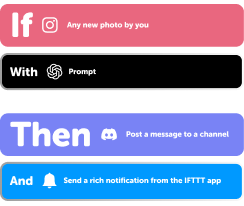
Add multiple actions with exclusive services
Add real-time data and multiple actions for smarter automations -

Get access to faster speeds
Get faster updates and more actions with higher rate limits and quicker checks
Google Calendar and SmartThings tips, tools, and resources

More on Google Calendar and SmartThings
About Google Calendar
Google Calendar is a free time-management web application offered by Google. Turn on Applets to add the most important information, right into your calendar, automatically — and get custom notifications about the events that matter the most to you.
About SmartThings
SmartThings unlocks a new world of possibilities by letting you use your smartphone to control locks, lights, electronics, and the everyday things around you—wherever you are.