36 ready-made Email and Spotify Applets
Turn one on, or build your own. Email can start an automation with "Send IFTTT an email tagged", and IFTTT can then run "Add track to a playlist" on Spotify.-
Add new Pitchfork Best New Tracks to Spotify and email updatesby
-
Add new SoundCloud tracks to Spotify and get an emailby
-
Email new Spotify saved tracks to yourselfby
-
Email me when a new Spotify track is added to a playlistby
-
Email me when I save a new Spotify podcast episodeby
-
Send notification or email when a new Spotify track is added to a playlistby
-
Follow a Spotify playlist when you send IFTTT an emailby
-
Save a Spotify track when you send IFTTT an emailby
-
Add Spotify track to queue when you email IFTTT with a tagby
Track updates from Soundcloud to Spotify
Enhance your music library by automatically adding new tracks from artists you follow on Soundcloud to your Spotify playlists while receiving email confirmations.
Get startedAutomate Email and Spotify from your AI assistant
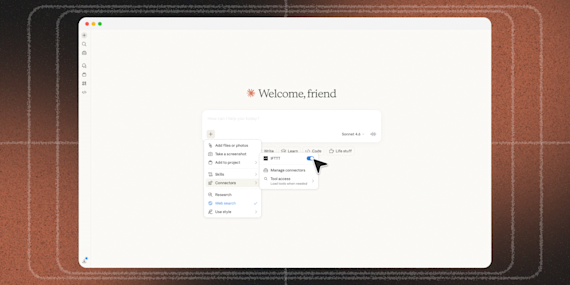
Ask OpenClaw to create Email applets that send you messages, right from your AI assistant, with IFTTT MCP.
Set up IFTTT MCPCreate your own Email and Spotify workflow
Create custom workflows effortlessly by selecting triggers, queries, and actions. With IFTTT, it's simple: “If this” trigger happens, “then that” action follows. Streamline tasks and save time with automated workflows that work for you.
43 triggers, queries, and actions

New episode from a followed show
New episode from search
New followed show
New recently played track
New saved album
New saved episode
New saved track
New show from search
New track added to a playlist
Send IFTTT an email tagged
Send IFTTT any email
Currently playing track
Get album details
Get artist details
Get artists for album
Get artists for track
Get audio features from a track
Get featured playlists
Get show details
Get show episodes
Get track details
Get track recommendations
Get tracks for album
Add track to a playlist
Add track to a playlist by TrackID
Add track to playback queue
Follow a playlist
Pause playback
Save a track
Send me an email
Skip track
Start playback
Add track to a playlist
Add track to a playlist by TrackID
Add track to playback queue
Currently playing track
Follow a playlist
Get album details
Get artist details
Get artists for album
Get artists for track
Get audio features from a track
Get featured playlists
Get show details
Build an automation in seconds!
You can add delays, queries, and more actions in the chat.

How to connect to a Email automation
Find an Applet using Email and Spotify
Find an automation to connect to, or create your own!Connect IFTTT to your accounts
Securely connect the Applet services to your respective accounts.Finalize and customize your Applet
Review trigger and action settings, and click connect. Simple as that!Make more happen with your credits
-
More credits, more possibilities
Get more credits per month to power more automation activity. -
Power more advanced automations
Use credits to power your automations, including actions that require more processing. -
Access faster speeds and higher rate limits
Get faster updates and more actions with increased rate limits and more frequent checks.
More on Email and Spotify
About Email
Send and receive important information when you need it, automatically, with this service. The "send me an email" action has a daily limit of 750 messages per day, at which point Applets will be paused until the limit resets at 12:00 AM GMT.
About Spotify
Spotify is a digital music service that gives you access to millions of songs. Applets can help you save your Discover Weekly and Release Radar playlists, share your favorite tunes, and much more.