








Benutze Alexa um ein Programm oder Szene auszulösen. (6)
Other popular coqon workflows and automations
-
 7
7
-
-
Benutze Alexa um ein Programm oder Szene auszulösen. (4)
9
-
-
Turn off Philips Hue lights when a Coqon rule fires
-
-
Benutze Alexa um ein Programm oder Szene auszulösen. (3)
16
-
-
Turn on Philips Hue lights when a Coqon rule fires
-
-
Trigger Coqon rule when sending an email tagged with a hashtag
-
-
Call your device when a Coqon rule fires
-
-
Send a notification when your Coqon rule fires
-
-
Run a COQON scene when a Google Calendar event ends
1
-






Automate coqon and YouTube from your AI assistant
Have Claude, ChatGPT, or Cursor build and run coqon and YouTube automations for you, like “Benutze Alexa um ein Programm oder Szene auszulösen. (6)”, with IFTTT MCP.
Set up IFTTT MCP


Create your own coqon and YouTube workflow
Create custom workflows effortlessly by selecting triggers, queries, and actions. With IFTTT, it's simple: “If this” trigger happens, “then that” action follows. Streamline tasks and save time with automated workflows that work for you.
24 triggers, queries, and actions
Coqon rule fires
Polling trigger
Polling Applets run after IFTTT reaches out to the trigger service and finds a new trigger event. These trigger checks occur every 5 minutes for Pro and Pro+ users, and every hour for Free users.
This trigger fires when the associated rule on your coqon box is activated.
New channel membership
Polling trigger
Polling Applets run after IFTTT reaches out to the trigger service and finds a new trigger event. These trigger checks occur every 5 minutes for Pro and Pro+ users, and every hour for Free users.
This trigger fires when there is a new membership to your channel.
New liked video
Polling trigger
Polling Applets run after IFTTT reaches out to the trigger service and finds a new trigger event. These trigger checks occur every 5 minutes for Pro and Pro+ users, and every hour for Free users.
This Trigger fires every time you like a video on YouTube.
New playlist by channel
Polling trigger
Polling Applets run after IFTTT reaches out to the trigger service and finds a new trigger event. These trigger checks occur every 5 minutes for Pro and Pro+ users, and every hour for Free users.
This trigger fires when a new playlist is created by a specific channel.
New public video from subscriptions
Polling trigger
Polling Applets run after IFTTT reaches out to the trigger service and finds a new trigger event. These trigger checks occur every 5 minutes for Pro and Pro+ users, and every hour for Free users.
This Trigger fires every time a specific user you are subscribed to makes a new video public.
New public video uploaded by you
Polling trigger
Polling Applets run after IFTTT reaches out to the trigger service and finds a new trigger event. These trigger checks occur every 5 minutes for Pro and Pro+ users, and every hour for Free users.
This Trigger fires every time you upload a new public video or Short to YouTube.
New Super Chat message
Polling trigger
Polling Applets run after IFTTT reaches out to the trigger service and finds a new trigger event. These trigger checks occur every 5 minutes for Pro and Pro+ users, and every hour for Free users.
This trigger fires when there is a new Super Chat message in a live chat during a live stream on your channel.
New Super Sticker
Polling trigger
Polling Applets run after IFTTT reaches out to the trigger service and finds a new trigger event. These trigger checks occur every 5 minutes for Pro and Pro+ users, and every hour for Free users.
This trigger fires when there is a new Super Sticker in a live chat during a live stream on your channel.
New video by channel
Polling trigger
Polling Applets run after IFTTT reaches out to the trigger service and finds a new trigger event. These trigger checks occur every 5 minutes for Pro and Pro+ users, and every hour for Free users.
This Trigger fires every time a specific channel publishes a video, a Short or starts a livestream.
New video from search
Polling trigger
Polling Applets run after IFTTT reaches out to the trigger service and finds a new trigger event. These trigger checks occur every 5 minutes for Pro and Pro+ users, and every hour for Free users.
This Trigger fires every time a video is published that matches a search query.
You subscribe to a channel
Polling trigger
Polling Applets run after IFTTT reaches out to the trigger service and finds a new trigger event. These trigger checks occur every 5 minutes for Pro and Pro+ users, and every hour for Free users.
This trigger fires when a new subscription is made by you, or another specific channel.
Get paid members

Query
A query lets your Applet retrieve extra data that isn't included in the trigger, so that your automation can include more complete or useful information.
This query returns paid members for a channel.
History of channel memberships
Query
A query lets your Applet retrieve extra data that isn't included in the trigger, so that your automation can include more complete or useful information.
This query returns a list of when there is a new membership for your channel.
History of liked videos
Query
A query lets your Applet retrieve extra data that isn't included in the trigger, so that your automation can include more complete or useful information.
This query returns a list of every time you like a video on YouTube.
History of public videos from subscriptions
Query
A query lets your Applet retrieve extra data that isn't included in the trigger, so that your automation can include more complete or useful information.
This query returns a list of every time a specific user you are subscribed to makes a new video public.
History of public videos uploaded by you
Query
A query lets your Applet retrieve extra data that isn't included in the trigger, so that your automation can include more complete or useful information.
This query returns a list of every time you upload a new public video to YouTube.
History of Super Chat messages
Query
A query lets your Applet retrieve extra data that isn't included in the trigger, so that your automation can include more complete or useful information.
This query returns a list of when there is a new Super Chat message in a live chat during a live stream on your channel.
History of Super Stickers
Query
A query lets your Applet retrieve extra data that isn't included in the trigger, so that your automation can include more complete or useful information.
This query returns a list of when there is a new Super Sticker in a live chat during a live stream on your channel.
List playlist videos
Query
A query lets your Applet retrieve extra data that isn't included in the trigger, so that your automation can include more complete or useful information.
This query returns a list of videos from a specified playlist.
List playlists
Query
A query lets your Applet retrieve extra data that isn't included in the trigger, so that your automation can include more complete or useful information.
This query returns a list of playlists for a specified channel.
List subscriptions
Query
A query lets your Applet retrieve extra data that isn't included in the trigger, so that your automation can include more complete or useful information.
This query returns a list of subscriptions of a specified channel.
Search for videos
Query
A query lets your Applet retrieve extra data that isn't included in the trigger, so that your automation can include more complete or useful information.
This query returns a list of videos that match search criteria.
Fire rule in coqon
Action
An action is the task your Applet carries out after the trigger occurs. It defines what happens as the result of your automation and completes the workflow.
This action will fire the associated rule on our coqon box.
Upload video from URL
Action
An action is the task your Applet carries out after the trigger occurs. It defines what happens as the result of your automation and completes the workflow.
This action will publish a video or Short from a given URL to your YouTube channel. Video will be uploaded as a Short or regular video based on the video length and aspect ratio.
Coqon rule fires
Polling trigger
Polling Applets run after IFTTT reaches out to the trigger service and finds a new trigger event. These trigger checks occur every 5 minutes for Pro and Pro+ users, and every hour for Free users.
This trigger fires when the associated rule on your coqon box is activated.
Fire rule in coqon
Action
An action is the task your Applet carries out after the trigger occurs. It defines what happens as the result of your automation and completes the workflow.
This action will fire the associated rule on our coqon box.
Get paid members
Query
A query lets your Applet retrieve extra data that isn't included in the trigger, so that your automation can include more complete or useful information.
This query returns paid members for a channel.
History of channel memberships
Query
A query lets your Applet retrieve extra data that isn't included in the trigger, so that your automation can include more complete or useful information.
This query returns a list of when there is a new membership for your channel.
History of liked videos
Query
A query lets your Applet retrieve extra data that isn't included in the trigger, so that your automation can include more complete or useful information.
This query returns a list of every time you like a video on YouTube.
History of public videos from subscriptions
Query
A query lets your Applet retrieve extra data that isn't included in the trigger, so that your automation can include more complete or useful information.
This query returns a list of every time a specific user you are subscribed to makes a new video public.
History of public videos uploaded by you
Query
A query lets your Applet retrieve extra data that isn't included in the trigger, so that your automation can include more complete or useful information.
This query returns a list of every time you upload a new public video to YouTube.
History of Super Chat messages
Query
A query lets your Applet retrieve extra data that isn't included in the trigger, so that your automation can include more complete or useful information.
This query returns a list of when there is a new Super Chat message in a live chat during a live stream on your channel.
History of Super Stickers
Query
A query lets your Applet retrieve extra data that isn't included in the trigger, so that your automation can include more complete or useful information.
This query returns a list of when there is a new Super Sticker in a live chat during a live stream on your channel.
List playlist videos
Query
A query lets your Applet retrieve extra data that isn't included in the trigger, so that your automation can include more complete or useful information.
This query returns a list of videos from a specified playlist.
List playlists
Query
A query lets your Applet retrieve extra data that isn't included in the trigger, so that your automation can include more complete or useful information.
This query returns a list of playlists for a specified channel.
List subscriptions
Query
A query lets your Applet retrieve extra data that isn't included in the trigger, so that your automation can include more complete or useful information.
This query returns a list of subscriptions of a specified channel.
Build an automation in seconds!
If

Select a trigger the automation will use
Coqon rule fires
 New channel membership
New liked video
New playlist by channel
New public video from subscriptions
New public video uploaded by you
New Super Chat message
New Super Sticker
New video by channel
New video from search
You subscribe to a channel
New channel membership
New liked video
New playlist by channel
New public video from subscriptions
New public video uploaded by you
New Super Chat message
New Super Sticker
New video by channel
New video from search
You subscribe to a channel
Then
Select an action the automation will perform
Fire rule in coqon
Upload video from URL
You can add delays, queries, and more actions in the chat.
GET STARTED
How to connect to a coqon automation
Find an Applet using coqon and YouTube
Find an automation to connect to, or create your own!Connect IFTTT to your accounts
Securely connect the Applet services to your respective accounts.Finalize and customize your Applet
Review trigger and action settings, and click connect. Simple as that!Upgrade your automations with
-

Connect to more Applets
Connect up to 20 automations with Pro, and unlimited automations with Pro+ -
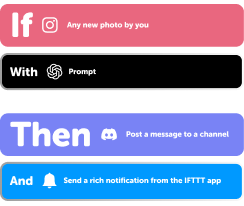
Add multiple actions with exclusive services
Add real-time data and multiple actions for smarter automations -

Get access to faster speeds
Get faster updates and more actions with higher rate limits and quicker checks
coqon and YouTube tips, tools, and resources
More on coqon and YouTube
About coqon
Mit der intelligenten Gebäudesteuerung von COQON machen Sie ihr zu Hause komfortabel und sicher. Dank individueller Regeln, Szenarien und vollautomatisierten Funktionen behalten Sie die Kontrolle und haben trotzdem immer smarte Unterstützung. COQON bietet mit zahlreichen eigenen Komponenten und seinem modularen Ökosystem alle Möglichkeiten der Vernetzung aus einer Hand.
About YouTube
YouTube is a video-sharing website on which users can upload, share, and view videos. Use Applets to manage your liked videos, get notified about new uploads from your subscriptions, and grow your YouTube subscribers by automatically letting the world know when you post something new to your channel. https://www.youtube.com/t/terms