









Send an SMS when Husqvarna Automower has an error
Other popular Android SMS workflows and automations
-
 940
940
-
-
Send the daily BrainyQuote love quote via Android SMS
3.37k
-
-
Set Android ringtone to max and call when text says 'Ring ring'
61.1k
-
-
Send an Android SMS when you leave work
7.86k
-
-
Get an Android SMS alert when tomorrow’s forecast predicts rain
714
-
-
Add sent Android SMS to Google Calendar
2.38k
-
-
Forward incoming Android SMS to another phone
4.89k
-
-
Save new Android SMS messages to Google Docs
23.8k
-
-
Text your partner when your Android battery is low
15.1k
-









Automate Android SMS and Wink: Spotter from your AI assistant
Ask Cursor to create Android SMS applets for you, right from your AI assistant, with IFTTT MCP.
Set up IFTTT MCP


Create your own Android SMS and Wink: Spotter workflow
Create custom workflows effortlessly by selecting triggers, queries, and actions. With IFTTT, it's simple: “If this” trigger happens, “then that” action follows. Streamline tasks and save time with automated workflows that work for you.
9 triggers, queries, and actions
Any new SMS received
Polling trigger
Polling Applets run after IFTTT reaches out to the trigger service and finds a new trigger event. These trigger checks occur every 5 minutes for Pro and Pro+ users, and every hour for Free users.
This Trigger fires every time you receive any new SMS on your Android device.
Any new SMS sent
Polling trigger
Polling Applets run after IFTTT reaches out to the trigger service and finds a new trigger event. These trigger checks occur every 5 minutes for Pro and Pro+ users, and every hour for Free users.
This Trigger fires every time you send an SMS on your Android device.
New SMS received from phone number
Polling trigger
Polling Applets run after IFTTT reaches out to the trigger service and finds a new trigger event. These trigger checks occur every 5 minutes for Pro and Pro+ users, and every hour for Free users.
This Trigger fires every time you receive an SMS on your Android device from a phone number you specify.
New SMS received matches search
Polling trigger
Polling Applets run after IFTTT reaches out to the trigger service and finds a new trigger event. These trigger checks occur every 5 minutes for Pro and Pro+ users, and every hour for Free users.
This Trigger fires every time you receive an SMS on your Android device that matches a search you specify.
New SMS sent matches search
Polling trigger
Polling Applets run after IFTTT reaches out to the trigger service and finds a new trigger event. These trigger checks occur every 5 minutes for Pro and Pro+ users, and every hour for Free users.
This Trigger fires every time you send an SMS on your Android device that matches a search you specify.
New SMS sent to phone number
Polling trigger
Polling Applets run after IFTTT reaches out to the trigger service and finds a new trigger event. These trigger checks occur every 5 minutes for Pro and Pro+ users, and every hour for Free users.
This Trigger fires every time you send an SMS on your Android device to a phone number you specify.
Temperature drops below
Polling trigger
Polling Applets run after IFTTT reaches out to the trigger service and finds a new trigger event. These trigger checks occur every 5 minutes for Pro and Pro+ users, and every hour for Free users.
This Trigger fires every time the temperature measured by your Spotter drops below the value you specify.
Temperature rises above
Polling trigger
Polling Applets run after IFTTT reaches out to the trigger service and finds a new trigger event. These trigger checks occur every 5 minutes for Pro and Pro+ users, and every hour for Free users.
This Trigger fires every time the temperature measured by your Spotter rises above the value you specify.
Send an SMS
Action
An action is the task your Applet carries out after the trigger occurs. It defines what happens as the result of your automation and completes the workflow.
This Action will send an SMS from your Android device to any phone number you specify.
Any new SMS received
Polling trigger
Polling Applets run after IFTTT reaches out to the trigger service and finds a new trigger event. These trigger checks occur every 5 minutes for Pro and Pro+ users, and every hour for Free users.
This Trigger fires every time you receive any new SMS on your Android device.
Any new SMS sent
Polling trigger
Polling Applets run after IFTTT reaches out to the trigger service and finds a new trigger event. These trigger checks occur every 5 minutes for Pro and Pro+ users, and every hour for Free users.
This Trigger fires every time you send an SMS on your Android device.
New SMS received from phone number
Polling trigger
Polling Applets run after IFTTT reaches out to the trigger service and finds a new trigger event. These trigger checks occur every 5 minutes for Pro and Pro+ users, and every hour for Free users.
This Trigger fires every time you receive an SMS on your Android device from a phone number you specify.
New SMS received matches search
Polling trigger
Polling Applets run after IFTTT reaches out to the trigger service and finds a new trigger event. These trigger checks occur every 5 minutes for Pro and Pro+ users, and every hour for Free users.
This Trigger fires every time you receive an SMS on your Android device that matches a search you specify.
New SMS sent matches search
Polling trigger
Polling Applets run after IFTTT reaches out to the trigger service and finds a new trigger event. These trigger checks occur every 5 minutes for Pro and Pro+ users, and every hour for Free users.
This Trigger fires every time you send an SMS on your Android device that matches a search you specify.
New SMS sent to phone number
Polling trigger
Polling Applets run after IFTTT reaches out to the trigger service and finds a new trigger event. These trigger checks occur every 5 minutes for Pro and Pro+ users, and every hour for Free users.
This Trigger fires every time you send an SMS on your Android device to a phone number you specify.
Send an SMS
Action
An action is the task your Applet carries out after the trigger occurs. It defines what happens as the result of your automation and completes the workflow.
This Action will send an SMS from your Android device to any phone number you specify.
Temperature drops below
Polling trigger
Polling Applets run after IFTTT reaches out to the trigger service and finds a new trigger event. These trigger checks occur every 5 minutes for Pro and Pro+ users, and every hour for Free users.
This Trigger fires every time the temperature measured by your Spotter drops below the value you specify.
Temperature rises above
Polling trigger
Polling Applets run after IFTTT reaches out to the trigger service and finds a new trigger event. These trigger checks occur every 5 minutes for Pro and Pro+ users, and every hour for Free users.
This Trigger fires every time the temperature measured by your Spotter rises above the value you specify.
Build an automation in seconds!
If

Select a trigger the automation will use
Any new SMS received
Any new SMS sent
New SMS received from phone number
New SMS received matches search
New SMS sent matches search
New SMS sent to phone number
 Temperature drops below
Temperature rises above
Temperature drops below
Temperature rises above
Then
Select an action the automation will perform
Send an SMS
You can add delays, queries, and more actions in the chat.
GET STARTED
How to connect to a Android SMS automation
Find an Applet using Android SMS and Wink: Spotter
Find an automation to connect to, or create your own!Connect IFTTT to your accounts
Securely connect the Applet services to your respective accounts.Finalize and customize your Applet
Review trigger and action settings, and click connect. Simple as that!Upgrade your automations with
-
Connect to more Applets
Connect up to 20 automations with Pro, and unlimited automations with Pro+ -
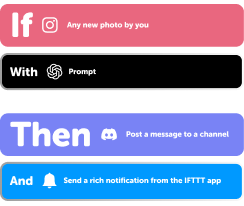
Add multiple actions with exclusive services
Add real-time data and multiple actions for smarter automations -
Get access to faster speeds
Get faster updates and more actions with higher rate limits and quicker checks
Android SMS and Wink: Spotter tips, tools, and resources
-
Productivity
The 10 AI tools taking over your feed just joined your workflow

-
Popular
What your automations say about your aesthetic

-
Popular
Six ways to automate these annoying tasks

-
Lifestyle
Automations for every kind of hobbyist

-
Popular
Google Sheets automation: The complete guide (2026)

-
Productivity
Every way to automate Notion with IFTTT

-
Productivity
How to aggregate and customize news

-
Productivity
What is your notification personality?

-
Productivity
14 apps that work better together (and take 2 minutes to set up)

More on Android SMS and Wink: Spotter
About Android SMS
Android SMS and IFTTT let you trigger automations when you get texts and send messages to phone numbers.
About Wink: Spotter
Wink: Spotter and IFTTT let you set up alerts when your home's temperature swings, so you catch changes before they become problems.