









Press SwitchBot when MESH Tag is triggered
28 ready-made MESH and SwitchBot Applets
Turn one on, or build your own. MESH can start an automation with "Event from MESH app received", and IFTTT can then run "Back to base station" on SwitchBot.-
 12
12
-
-
Send MESH event when motion is detected by SwitchBot sensor
-
-
Set SwitchBot A/C to cool mode when a MESH event occurs
-
-
Turn off SwitchBot Plug when MESH event is received
-
-
Send a MESH event when SwitchBot temperature or humidity changes
-
-
Turn off SwitchBot appliance when MESH event is received
-
-
Run SwitchBot Scene when MESH event is received
-
-
Send MESH event when SwitchBot door is closed
-
-
Turn on SwitchBot Plug when MESH event is received
-

Automate MESH and SwitchBot from your AI assistant
Ask Copilot to create MESH applets for you, right from your AI assistant, with IFTTT MCP.
Set up IFTTT MCP


Create your own MESH and SwitchBot workflow
Create custom workflows effortlessly by selecting triggers, queries, and actions. With IFTTT, it's simple: “If this” trigger happens, “then that” action follows. Streamline tasks and save time with automated workflows that work for you.
101 triggers, queries, and actions
Carbon dioxide changes
Polling trigger
Polling Applets run after IFTTT reaches out to the trigger service and finds a new trigger event. These trigger checks occur every 5 minutes for Pro and Pro+ users, and every hour for Free users.
Whenever a preset carbon dioxide change detected, SwitchBot meter pro will try to trigger the service. E.g. if the carbon dioxide is too high, turn on SwitchBot air purifier.
Contact and Motion Detection
Polling trigger
Polling Applets run after IFTTT reaches out to the trigger service and finds a new trigger event. These trigger checks occur every 5 minutes for Pro and Pro+ users, and every hour for Free users.
When Contact Sensor detected door/window opened or closed or left open, the SwitchBot contact sensor will try to trigger the service.
Event from MESH app received
Polling trigger
Polling Applets run after IFTTT reaches out to the trigger service and finds a new trigger event. These trigger checks occur every 5 minutes for Pro and Pro+ users, and every hour for Free users.
This Trigger fires every time your IFTTT Tag on MESH app receives an input signal from the other Tag.
Hub 2's touch buttons pressed
Polling trigger
Polling Applets run after IFTTT reaches out to the trigger service and finds a new trigger event. These trigger checks occur every 5 minutes for Pro and Pro+ users, and every hour for Free users.
This trigger fires when one of the touch buttons of your Hub 2 is pressed. E.g. when the left touch button is pressed, turn on SwitchBot Color Bulb.
Lock status changed
Polling trigger
Polling Applets run after IFTTT reaches out to the trigger service and finds a new trigger event. These trigger checks occur every 5 minutes for Pro and Pro+ users, and every hour for Free users.
This trigger fires when the status of your SwitchBot Lock is changed.
Motion detected or no motion detected
Polling trigger
Polling Applets run after IFTTT reaches out to the trigger service and finds a new trigger event. These trigger checks occur every 5 minutes for Pro and Pro+ users, and every hour for Free users.
When Motion Sensor detected motion or no motion, the SwitchBot motion sensor will try to trigger the service.
Power changes
Polling trigger
Polling Applets run after IFTTT reaches out to the trigger service and finds a new trigger event. These trigger checks occur every 5 minutes for Pro and Pro+ users, and every hour for Free users.
You can choose Plug Mini's behaviour as a trigger condition
Robot status changed
Polling trigger
Polling Applets run after IFTTT reaches out to the trigger service and finds a new trigger event. These trigger checks occur every 5 minutes for Pro and Pro+ users, and every hour for Free users.
This trigger fires when the status of your SwitchBot Robot Vacuum Cleaner changed
Temperature or humidity changes
Polling trigger
Polling Applets run after IFTTT reaches out to the trigger service and finds a new trigger event. These trigger checks occur every 5 minutes for Pro and Pro+ users, and every hour for Free users.
Whenever a preset temperature and/or humidity change detected, SwitchBot Thermometer & Hygrometer (the Meter) will try to trigger the service. E.g. if the temperature is too high, turn on AC with the SwitchBot Hub Plus (the Hub Plus).
Water Detector State
Polling trigger
Polling Applets run after IFTTT reaches out to the trigger service and finds a new trigger event. These trigger checks occur every 5 minutes for Pro and Pro+ users, and every hour for Free users.
You can use the Water Detector state as a condition to trigger an automation.
ハブ2のタッチボタンを押す
Polling trigger
Polling Applets run after IFTTT reaches out to the trigger service and finds a new trigger event. These trigger checks occur every 5 minutes for Pro and Pro+ users, and every hour for Free users.
SwitchBotハブ2のタッチボタンを押すことをトリガー条件として設定することが可能です。例えば:ハブ2の左ボタンを押すと、SwitchBotスマート電球をオンにします。
ロック状態変更
Polling trigger
Polling Applets run after IFTTT reaches out to the trigger service and finds a new trigger event. These trigger checks occur every 5 minutes for Pro and Pro+ users, and every hour for Free users.
このトリガーはロックの状態が変更した時に実行する
History of events from MESH app

Query
A query lets your Applet retrieve extra data that isn't included in the trigger, so that your automation can include more complete or useful information.
This query returns a list of times when your IFTTT Tag on MESH app receives an input signal from the other Tag.
Back to base station
Action
An action is the task your Applet carries out after the trigger occurs. It defines what happens as the result of your automation and completes the workflow.
The platform will back to base station
Bot press
Action
An action is the task your Applet carries out after the trigger occurs. It defines what happens as the result of your automation and completes the workflow.
This action will trigger the specified Bot to press the switch.
Bot turn off
Action
An action is the task your Applet carries out after the trigger occurs. It defines what happens as the result of your automation and completes the workflow.
This action will trigger the specified Bot to turn off the switch.
Bot turn on
Action
An action is the task your Applet carries out after the trigger occurs. It defines what happens as the result of your automation and completes the workflow.
This action will trigger the specified Bot to turn on the switch.
Bulb Brightness
Action
An action is the task your Applet carries out after the trigger occurs. It defines what happens as the result of your automation and completes the workflow.
You can set the brightness of your Color Bulb here.
Bulb Color
Action
An action is the task your Applet carries out after the trigger occurs. It defines what happens as the result of your automation and completes the workflow.
You can set the color of your Color Bulb here.
Bulb Color Temperature
Action
An action is the task your Applet carries out after the trigger occurs. It defines what happens as the result of your automation and completes the workflow.
You can set the color temperature of your Color bulb here.
Bulb Presets
Action
An action is the task your Applet carries out after the trigger occurs. It defines what happens as the result of your automation and completes the workflow.
You can set the presets saved in your SwitchBot app here.
Ceiling Light Brightness
Action
An action is the task your Applet carries out after the trigger occurs. It defines what happens as the result of your automation and completes the workflow.
You can set the brightness of your Ceiling Light here.
Ceiling Light Color Temperature
Action
An action is the task your Applet carries out after the trigger occurs. It defines what happens as the result of your automation and completes the workflow.
You can set the color temperature of your Ceiling Light here.
Change water output for mopping
Action
An action is the task your Applet carries out after the trigger occurs. It defines what happens as the result of your automation and completes the workflow.
Change water output for mopping
Control Air Purifier
Action
An action is the task your Applet carries out after the trigger occurs. It defines what happens as the result of your automation and completes the workflow.
This Action will control the SwitchBot Air Purifier.
Back to base station
Action
An action is the task your Applet carries out after the trigger occurs. It defines what happens as the result of your automation and completes the workflow.
The platform will back to base station
Bot press
Action
An action is the task your Applet carries out after the trigger occurs. It defines what happens as the result of your automation and completes the workflow.
This action will trigger the specified Bot to press the switch.
Bot turn off
Action
An action is the task your Applet carries out after the trigger occurs. It defines what happens as the result of your automation and completes the workflow.
This action will trigger the specified Bot to turn off the switch.
Bot turn on
Action
An action is the task your Applet carries out after the trigger occurs. It defines what happens as the result of your automation and completes the workflow.
This action will trigger the specified Bot to turn on the switch.
Bulb Brightness
Action
An action is the task your Applet carries out after the trigger occurs. It defines what happens as the result of your automation and completes the workflow.
You can set the brightness of your Color Bulb here.
Bulb Color
Action
An action is the task your Applet carries out after the trigger occurs. It defines what happens as the result of your automation and completes the workflow.
You can set the color of your Color Bulb here.
Bulb Color Temperature
Action
An action is the task your Applet carries out after the trigger occurs. It defines what happens as the result of your automation and completes the workflow.
You can set the color temperature of your Color bulb here.
Bulb Presets
Action
An action is the task your Applet carries out after the trigger occurs. It defines what happens as the result of your automation and completes the workflow.
You can set the presets saved in your SwitchBot app here.
Carbon dioxide changes
Polling trigger
Polling Applets run after IFTTT reaches out to the trigger service and finds a new trigger event. These trigger checks occur every 5 minutes for Pro and Pro+ users, and every hour for Free users.
Whenever a preset carbon dioxide change detected, SwitchBot meter pro will try to trigger the service. E.g. if the carbon dioxide is too high, turn on SwitchBot air purifier.
Ceiling Light Brightness
Action
An action is the task your Applet carries out after the trigger occurs. It defines what happens as the result of your automation and completes the workflow.
You can set the brightness of your Ceiling Light here.
Ceiling Light Color Temperature
Action
An action is the task your Applet carries out after the trigger occurs. It defines what happens as the result of your automation and completes the workflow.
You can set the color temperature of your Ceiling Light here.
Change water output for mopping
Action
An action is the task your Applet carries out after the trigger occurs. It defines what happens as the result of your automation and completes the workflow.
Change water output for mopping
Build an automation in seconds!
If

Select a trigger the automation will use
Carbon dioxide changes
Contact and Motion Detection
 Event from MESH app received
Hub 2's touch buttons pressed
Lock status changed
Motion detected or no motion detected
Power changes
Robot status changed
Temperature or humidity changes
Water Detector State
ハブ2のタッチボタンを押す
ロック状態変更
ロボット状態変更
動体が検出された、または検出されない
水漏れセンサーの状態
温度・湿度の変化
開閉と動体を検知する
電源の変化
Event from MESH app received
Hub 2's touch buttons pressed
Lock status changed
Motion detected or no motion detected
Power changes
Robot status changed
Temperature or humidity changes
Water Detector State
ハブ2のタッチボタンを押す
ロック状態変更
ロボット状態変更
動体が検出された、または検出されない
水漏れセンサーの状態
温度・湿度の変化
開閉と動体を検知する
電源の変化
Then
Select an action the automation will perform
Back to base station
Bot press
Bot turn off
Bot turn on
Bulb Brightness
Bulb Color
Bulb Color Temperature
Bulb Presets
Ceiling Light Brightness
Ceiling Light Color Temperature
Change water output for mopping
Control Air Purifier
Control Curtain
Control Evaporative Humidifier
Control Fan
Control home appliances
Control Humidifier
Control RollerShade
Control TV
Delay On/Off
Fan 2 Blowing Mode
Fan 2 Nightlight
Fan 2 常夜灯設定
Fan 2 送風モード
fan 2 Fan Speed
Fan 2 Horizontal Oscillation
Fan 2 Vertical Oscillation
Fan 2 上下の首振り
Fan 2 左右の首振り
fan 2 風量
LED Strip Light Color
LED Strip Light On/Off
Open/close Blind Tilt
Pause vacuuming (Pause recharging)
Power On/Off
Scene
Send an event to MESH app
Start cruise whole house
Start purity in situ
Start purity whole house
Start recharging
Start vacuuming
Switch Mode
Toggle Ceiling Light On/Off
Toggle On/Off
Turn A/C off
Turn A/C on
Turn Bulb On/Off
Turn Ceiling Light On/Off
Turn off appliance with Hub Plus IR remote
Turn on appliance with Hub Plus IR remote
Turn Plug off
Turn Plug on
カーテンをコントロール
シーリングライトの明るさ
シーリングライトの色温度
シーリングライトをオン/オフ
シーン
テープライトのカラー
テープライトをオン/オフにする
トグルシーリングライト(オン/オフ)
トグル(オン/オフ)
ハウスツアーを開始する
ブラインドポールの開閉を設定
モード切替
再充電する
加湿器をコントロール
原位置除染を開始する
基地局への復帰を開始する
家全体の浄化を始める
扇風機をコントロール
気化式加湿器をコントロール
水拭きの水量を変更
清掃/再充電を一時停止
清掃する
遅延実行(オン/オフ)
電源オン/オフ
電球のカラー
電球のプリセット
電球の明るさ
電球の色温度
電球をオン/オフにする
You can add delays, queries, and more actions in the chat.
GET STARTED
How to connect to a MESH automation
Find an Applet using MESH and SwitchBot
Find an automation to connect to, or create your own!Connect IFTTT to your accounts
Securely connect the Applet services to your respective accounts.Finalize and customize your Applet
Review trigger and action settings, and click connect. Simple as that!Make more happen with your credits
-

More credits, more possibilities
Get more credits per month to power more automation activity. -
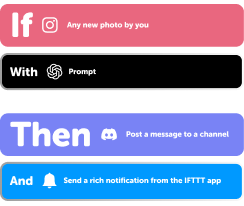
Power more advanced automations
Use credits to power your automations, including actions that require more processing. -

Access faster speeds and higher rate limits
Get faster updates and more actions with increased rate limits and more frequent checks.
MESH and SwitchBot tips, tools, and resources
More on MESH and SwitchBot
About MESH
MESH and IFTTT let you trigger automations from your MESH tags and send events back to your MESH app.
About SwitchBot
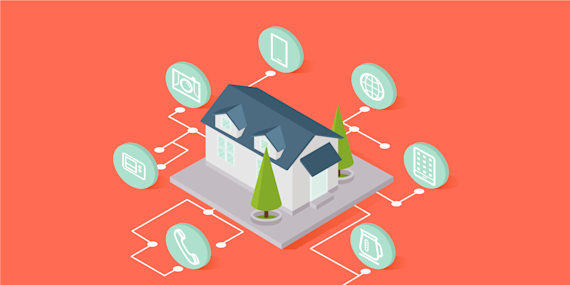
SwitchBot and IFTTT let you automate your smart home devices based on what's happening around you, from motion and water leaks to power changes and lock status.