








Send a Gmail message when Ecosense radon exceeds threshold
3 ready-made Ecosense and Gmail Applets
Turn one on, or build your own. Ecosense can start an automation with "Radon level drops below threshold", and IFTTT can then run "Add label to email" on Gmail.-
-
-
Send a Gmail message when radon level drops below a threshold
-
-
Send Gmail alert when radon level exceeds threshold
-

Automate Ecosense and Gmail from your AI assistant
Ask ChatGPT to create Ecosense applets that monitor your radon levels, all from your AI assistant with IFTTT MCP.
Set up IFTTT MCP


Create your own Ecosense and Gmail workflow
Create custom workflows effortlessly by selecting triggers, queries, and actions. With IFTTT, it's simple: “If this” trigger happens, “then that” action follows. Streamline tasks and save time with automated workflows that work for you.
25 triggers, queries, and actions
New attachment
Polling trigger
Polling Applets run after IFTTT reaches out to the trigger service and finds a new trigger event. These trigger checks occur every 5 minutes for Pro and Pro+ users, and every hour for Free users.
This trigger fires every time a new email with an attachment arrives in your inbox.
New conversation
Polling trigger
Polling Applets run after IFTTT reaches out to the trigger service and finds a new trigger event. These trigger checks occur every 5 minutes for Pro and Pro+ users, and every hour for Free users.
This trigger fires when a conversation starts in your Gmail inbox: a message gets its first reply and a back-and-forth begins. It fires once per conversation, not on every reply.
New email
Polling trigger
Polling Applets run after IFTTT reaches out to the trigger service and finds a new trigger event. These trigger checks occur every 5 minutes for Pro and Pro+ users, and every hour for Free users.
This trigger fires every time a new email arrives in your Gmail inbox.
New email matching search
Polling trigger
Polling Applets run after IFTTT reaches out to the trigger service and finds a new trigger event. These trigger checks occur every 5 minutes for Pro and Pro+ users, and every hour for Free users.
This trigger fires every time an email newly matches your Gmail search, whether it just arrived or just changed to match.
New label
Polling trigger
Polling Applets run after IFTTT reaches out to the trigger service and finds a new trigger event. These trigger checks occur every 5 minutes for Pro and Pro+ users, and every hour for Free users.
This trigger fires once every time a new label is created in your Gmail account. New labels are typically detected within an hour.
New sent email
Polling trigger
Polling Applets run after IFTTT reaches out to the trigger service and finds a new trigger event. These trigger checks occur every 5 minutes for Pro and Pro+ users, and every hour for Free users.
This trigger fires every time you send an email from your Gmail account, typically within a few minutes of the send. This includes emails your Applets send.
New starred email
Polling trigger
Polling Applets run after IFTTT reaches out to the trigger service and finds a new trigger event. These trigger checks occur every 5 minutes for Pro and Pro+ users, and every hour for Free users.
This trigger fires the first time you star an email in your Gmail account. It checks your most recently received starred emails, so starring a much older email might not fire it.
Radon level drops below threshold
Polling trigger
Polling Applets run after IFTTT reaches out to the trigger service and finds a new trigger event. These trigger checks occur every 5 minutes for Pro and Pro+ users, and every hour for Free users.
This trigger fires when the measured radon level drops below the threshold
Radon level exceeds threshold
Polling trigger
Polling Applets run after IFTTT reaches out to the trigger service and finds a new trigger event. These trigger checks occur every 5 minutes for Pro and Pro+ users, and every hour for Free users.
This trigger fires when the measured radon level surpasses the threshold
Find email

Query
A query lets your Applet retrieve extra data that isn't included in the trigger, so that your automation can include more complete or useful information.
This query returns the most recent emails matching your Gmail search, newest first.
Get attachment by filename
Query
A query lets your Applet retrieve extra data that isn't included in the trigger, so that your automation can include more complete or useful information.
This query returns an attachment from a specific Gmail message, located by its filename, as links to a temporary copy of the file that IFTTT hosts and removes automatically, along with the attachment's details.
Get conversation
Query
A query lets your Applet retrieve extra data that isn't included in the trigger, so that your automation can include more complete or useful information.
This query returns the messages in a Gmail conversation, looked up by its thread id: one result per message, oldest first, each carrying the message's full content alongside the conversation's participants and message count.
List all devices
Query
A query lets your Applet retrieve extra data that isn't included in the trigger, so that your automation can include more complete or useful information.
This query returns a list of all devices
Add label to email
Action
An action is the task your Applet carries out after the trigger occurs. It defines what happens as the result of your automation and completes the workflow.
This action will add the label you choose to a specific email message in your Gmail account.
Archive email
Action
An action is the task your Applet carries out after the trigger occurs. It defines what happens as the result of your automation and completes the workflow.
This action will archive a specific email message, removing it from your inbox without deleting it. The message remains in All Mail and stays searchable.
Create a draft
Action
An action is the task your Applet carries out after the trigger occurs. It defines what happens as the result of your automation and completes the workflow.
This action will save a new email as a draft in your Gmail account without sending it. The draft waits in your Drafts folder until you open Gmail and send it yourself.
Create a draft reply
Action
An action is the task your Applet carries out after the trigger occurs. It defines what happens as the result of your automation and completes the workflow.
This action will save a draft reply to a specific email in your Gmail account, kept in the original conversation. The draft waits in your Drafts folder until you send it yourself.
Create label
Action
An action is the task your Applet carries out after the trigger occurs. It defines what happens as the result of your automation and completes the workflow.
This action will create a new label in your Gmail account.
Delete email
Action
An action is the task your Applet carries out after the trigger occurs. It defines what happens as the result of your automation and completes the workflow.
This action will move a specific email message to Trash in your Gmail account. Messages in Trash can be recovered until Gmail permanently removes them.
Forward email
Action
An action is the task your Applet carries out after the trigger occurs. It defines what happens as the result of your automation and completes the workflow.
This action will forward an email from your Gmail account, attachments included, to the recipient you specify.
Remove label from conversation
Action
An action is the task your Applet carries out after the trigger occurs. It defines what happens as the result of your automation and completes the workflow.
This action will remove a label from a Gmail conversation, removing it from every message in the conversation at the time the action runs. Messages added to the conversation later are not affected.
Remove label from email
Action
An action is the task your Applet carries out after the trigger occurs. It defines what happens as the result of your automation and completes the workflow.
This action will remove the label you choose from a specific email message in your Gmail account. The message keeps its other labels and stays in your mailbox.
Reply to email
Action
An action is the task your Applet carries out after the trigger occurs. It defines what happens as the result of your automation and completes the workflow.
This action will send a reply to a specific email in your Gmail account, kept in the original conversation. The reply goes to whoever sent the original message.
Send an email
Action
An action is the task your Applet carries out after the trigger occurs. It defines what happens as the result of your automation and completes the workflow.
This action will send an email to up to twenty recipients from your Gmail account.
Send yourself an email
Action
An action is the task your Applet carries out after the trigger occurs. It defines what happens as the result of your automation and completes the workflow.
This action will send an email to yourself. HTML, images and links are supported.
Add label to email
Action
An action is the task your Applet carries out after the trigger occurs. It defines what happens as the result of your automation and completes the workflow.
This action will add the label you choose to a specific email message in your Gmail account.
Archive email
Action
An action is the task your Applet carries out after the trigger occurs. It defines what happens as the result of your automation and completes the workflow.
This action will archive a specific email message, removing it from your inbox without deleting it. The message remains in All Mail and stays searchable.
Create a draft
Action
An action is the task your Applet carries out after the trigger occurs. It defines what happens as the result of your automation and completes the workflow.
This action will save a new email as a draft in your Gmail account without sending it. The draft waits in your Drafts folder until you open Gmail and send it yourself.
Create a draft reply
Action
An action is the task your Applet carries out after the trigger occurs. It defines what happens as the result of your automation and completes the workflow.
This action will save a draft reply to a specific email in your Gmail account, kept in the original conversation. The draft waits in your Drafts folder until you send it yourself.
Create label
Action
An action is the task your Applet carries out after the trigger occurs. It defines what happens as the result of your automation and completes the workflow.
This action will create a new label in your Gmail account.
Delete email
Action
An action is the task your Applet carries out after the trigger occurs. It defines what happens as the result of your automation and completes the workflow.
This action will move a specific email message to Trash in your Gmail account. Messages in Trash can be recovered until Gmail permanently removes them.
Find email
Query
A query lets your Applet retrieve extra data that isn't included in the trigger, so that your automation can include more complete or useful information.
This query returns the most recent emails matching your Gmail search, newest first.
Forward email
Action
An action is the task your Applet carries out after the trigger occurs. It defines what happens as the result of your automation and completes the workflow.
This action will forward an email from your Gmail account, attachments included, to the recipient you specify.
Get attachment by filename
Query
A query lets your Applet retrieve extra data that isn't included in the trigger, so that your automation can include more complete or useful information.
This query returns an attachment from a specific Gmail message, located by its filename, as links to a temporary copy of the file that IFTTT hosts and removes automatically, along with the attachment's details.
Get conversation
Query
A query lets your Applet retrieve extra data that isn't included in the trigger, so that your automation can include more complete or useful information.
This query returns the messages in a Gmail conversation, looked up by its thread id: one result per message, oldest first, each carrying the message's full content alongside the conversation's participants and message count.
List all devices
Query
A query lets your Applet retrieve extra data that isn't included in the trigger, so that your automation can include more complete or useful information.
This query returns a list of all devices
New attachment
Polling trigger
Polling Applets run after IFTTT reaches out to the trigger service and finds a new trigger event. These trigger checks occur every 5 minutes for Pro and Pro+ users, and every hour for Free users.
This trigger fires every time a new email with an attachment arrives in your inbox.
Build an automation in seconds!
If

Select a trigger the automation will use
New attachment
New conversation
New email
New email matching search
New label
New sent email
New starred email
 Radon level drops below threshold
Radon level exceeds threshold
Radon level drops below threshold
Radon level exceeds threshold
Then
Select an action the automation will perform
Add label to email
Archive email
Create a draft
Create a draft reply
Create label
Delete email
Forward email
Remove label from conversation
Remove label from email
Reply to email
Send an email
Send yourself an email
You can add delays, queries, and more actions in the chat.
GET STARTED
How to connect to a Ecosense automation
Find an Applet using Ecosense and Gmail
Find an automation to connect to, or create your own!Connect IFTTT to your accounts
Securely connect the Applet services to your respective accounts.Finalize and customize your Applet
Review trigger and action settings, and click connect. Simple as that!Upgrade your automations with
-

Connect to more Applets
Connect up to 20 automations with Pro, and unlimited automations with Pro+ -
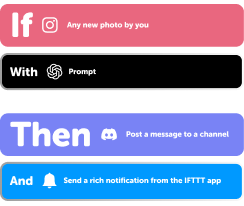
Add multiple actions with exclusive services
Add real-time data and multiple actions for smarter automations -

Get access to faster speeds
Get faster updates and more actions with higher rate limits and quicker checks
Ecosense and Gmail tips, tools, and resources
More on Ecosense and Gmail
About Ecosense
Ecosense and IFTTT let you set up alerts when your radon levels spike or drop, so you know what's happening in your home.
About Gmail
Gmail and IFTTT let you send emails automatically based on what happens in your other apps.